
Onlook
Open-source visual code editor and early-access team workspace for designing directly in real React codebases with AI.
Do not bounce yet
Read the fit check, compare one alternative, then decide whether the vendor page is still your best next click.
Quick Verdict
Fast fit check before you leave the page
Make the fit call first. Vendor pages are good at selling, but they rarely tell you where the product is a bad match.
- Product designers and design engineers working directly in React codebases
- Frontend teams building Next.js and Tailwind interfaces with AI assistance
- Teams comparing Onlook with Stagewise, Open Design, v0, Lovable, or Webflow
- The hosted product is in closed beta and has no public list price; teams must contact Onlook for custom pricing
- The latest tagged release is v0.2.32 from July 2025 even though main continued changing through July 2026, so self-hosters need to choose and audit a newer revision rather than assuming the latest release is current
- The repository still marks non-Next.js and non-Tailwind project support as unfinished, despite the broader ecosystem language on the product site
Compare Next
Take one more internal step before the vendor pitch
This is where visitors usually jump out too early. Read one deeper take or open one alternative so the next click is informed instead of impulsive.
Alternative profile
Lovable
Lovable is a browser-based AI app builder for generating, refining, and deploying full-stack web apps from chat prompts.
Alternative profile
Stagewise
Open-source frontend coding agent and purpose-built browser that lets developers click live UI, inspect runtime context, and apply changes to real local codebases.
Alternative profile
v0
Vercel's AI app builder for turning prompts into working web apps, UI, and product surfaces with GitHub sync and instant deployment.
Onlook is no longer well described as a free desktop-style “Cursor for designers.” The current product is a browser-based visual code editor and early-access team workspace built around a stronger idea: designers should work directly in the real React codebase instead of producing a separate mockup that engineers later translate. Its open-source editor combines AI chat, direct manipulation, code inspection, branching, checkpoints, and publishing, while the hosted cloud product is in closed beta with custom pricing.
Onlook is a browser-based design and coding workspace that lets product teams visually edit real React interfaces while keeping code as the source of truth. Its open-source Next.js and Tailwind editor supports AI-assisted generation, direct element manipulation, component and token work, branching, code inspection, checkpoints, and publishing; the newer hosted product is being positioned as an early-access team design environment. The split matters: the Apache-2.0 repository can be self-hosted for free, while the hosted cloud product is in closed beta with custom team pricing. Self-hosters should also avoid the stale July 2025 release and use an audited revision at or after the project’s December 2025 advisory fixes and July 2026 authorization hardening.
Why Choose Onlook?
Choose Onlook when visual design work must land in real React source rather than in a disconnected mockup or generated prototype.
Its web-container architecture can map rendered elements back to code, which gives both direct edits and AI requests more concrete context than screenshot-only workflows.
The Apache-2.0 repository and self-hosting path provide more inspectability than a fully closed design-to-code platform.
Treat the hosted product and the public repository as related but distinct maturity tracks: the cloud service is early access, while the latest tagged open-source release is materially behind main.
Key Features
Visual editing on top of a real React codebase, with direct element selection, drag-and-drop layout work, Tailwind styling, layers, components, images, and design tokens
AI chat with code access for generating or editing Next.js and Tailwind projects from text, images, templates, or imported code
Side-by-side design, preview, and code surfaces plus a CLI and commands inside the browser-based workspace
Branching, checkpoints, revision history, shareable deployments, custom domains, and real-time team editing
Apache-2.0 source with local self-hosting documentation and a hosted early-access product for product teams
Architecture that runs project code in a web container, indexes it, maps rendered elements back to code, and applies visual or AI edits to source
Pros & Cons
- Edits the product’s actual React code instead of producing a disconnected mockup that engineers must rebuild
- Combines visual design, AI generation, code inspection, and versioned experimentation in one workflow
- Apache-2.0 licensing and self-hosting preserve an inspectable path for teams that do not want to depend entirely on the hosted service
- Meaningful public adoption and an active codebase make it more credible than launch-only visual coding demos
- The hosted product is in closed beta and has no public list price; teams must contact Onlook for custom pricing
- The latest tagged release is v0.2.32 from July 2025 even though main continued changing through July 2026, so self-hosters need to choose and audit a newer revision rather than assuming the latest release is current
- The repository still marks non-Next.js and non-Tailwind project support as unfinished, despite the broader ecosystem language on the product site
- The project published high-severity GHSA-82m4-w39c-pgq6 plus medium-severity GHSA-w73g-vc27-2pg2 and GHSA-q42p-j3fm-rvq8 in December 2025, and main received broader project-membership authorization hardening in July 2026; old deployments should be treated as unsafe until upgraded and reviewed
Detailed Use Cases for Onlook
Import an existing React project, select rendered elements, adjust layout and Tailwind styles, and keep the codebase—not a separate canvas—as the source of truth.
Use AI chat with code access alongside direct manipulation, previews, components, assets, tokens, and code inspection to refine a real interface.
Experiment through branches and checkpoints, compare revisions with teammates, and publish only after the visual and source changes have been reviewed together.
Run the Apache-2.0 codebase on your own infrastructure, but pin a revision that includes the December 2025 advisory fixes and July 2026 project-authorization hardening rather than relying on the stale 2025 release tag.
Who Should Use Onlook?
Product designers and design engineers working directly in React codebases
Frontend teams building Next.js and Tailwind interfaces with AI assistance
Teams comparing Onlook with Stagewise, Open Design, v0, Lovable, or Webflow
Organizations evaluating a self-hosted visual code editor with an Apache-2.0 codebase
Perfect For
Letting designers change layout, styling, components, and tokens directly in an existing React product without handing engineers a separate mockup
Using AI and visual manipulation together to prototype or refine Next.js and Tailwind interfaces while retaining editable source
Reviewing branches and revision history with a product team before publishing a visual change
Self-hosting an inspectable visual code editor when a hosted design-to-code service is not acceptable
Technical Details
Direct Competitors
Stagewise
Open Design
v0
Lovable
Webflow
Similar Tools You Might Like

Bolt.new is a browser-based AI app builder that can prompt, run, edit, and deploy full-stack web apps without local setup.

Open-source frontend coding agent and purpose-built browser that lets developers click live UI, inspect runtime context, and apply changes to real local codebases.
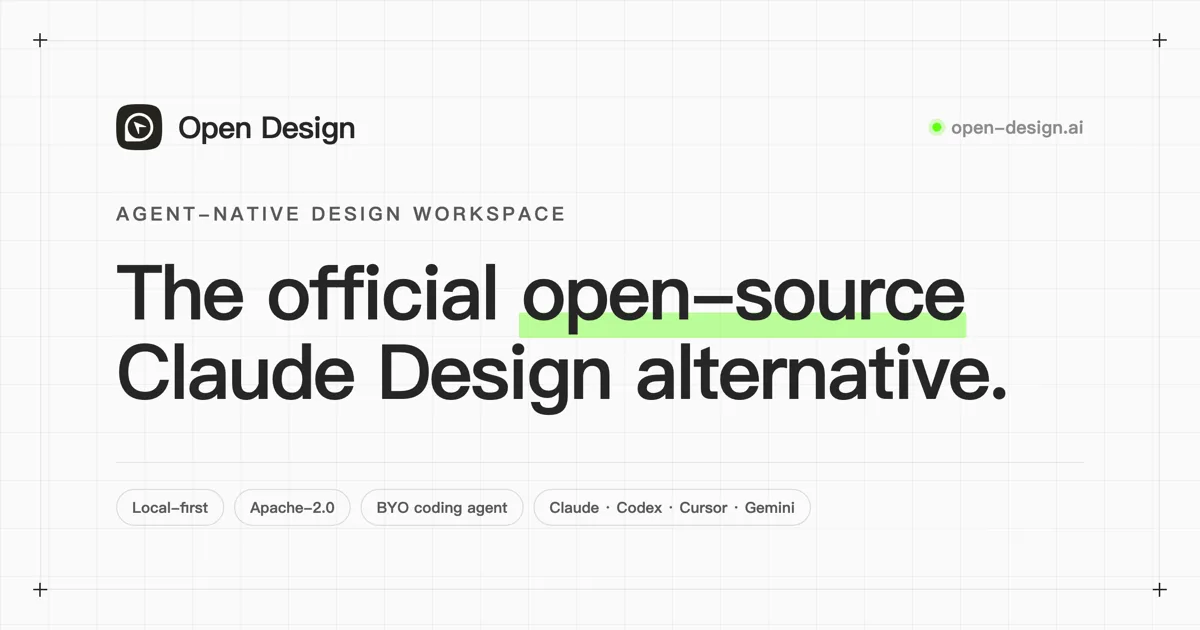
Open-source, local-first design workspace that lets coding agents generate brand-aware prototypes, decks, dashboards, images, and design systems.
Alternative Tools to Consider

Lovable is a browser-based AI app builder for generating, refining, and deploying full-stack web apps from chat prompts.
Open-source frontend coding agent and purpose-built browser that lets developers click live UI, inspect runtime context, and apply changes to real local codebases.

Vercel's AI app builder for turning prompts into working web apps, UI, and product surfaces with GitHub sync and instant deployment.
Open-source, local-first design workspace that lets coding agents generate brand-aware prototypes, decks, dashboards, images, and design systems.
Do one more comparison before you commit to Onlook
Strong picks usually survive one more internal check. Read deeper, compare a neighbor, then leave for the vendor page if the fit still holds.