Reasonix Review 2026: CLI, Desktop App, VS Code Extension, Pricing, and Tradeoffs
TL;DR
Use this article to move into a better next click
- A practical Reasonix review covering its CLI, desktop app, VS Code extension, cache-aware design, installation, real pricing, v1.19.5 safety changes, and alternatives.
- Reasonix is most relevant for CLI Tools + Agentic Coding, and the directory profile adds pricing, tradeoffs, and alternatives.
- Before you commit, compare it with CodeWhale and Claude Code.
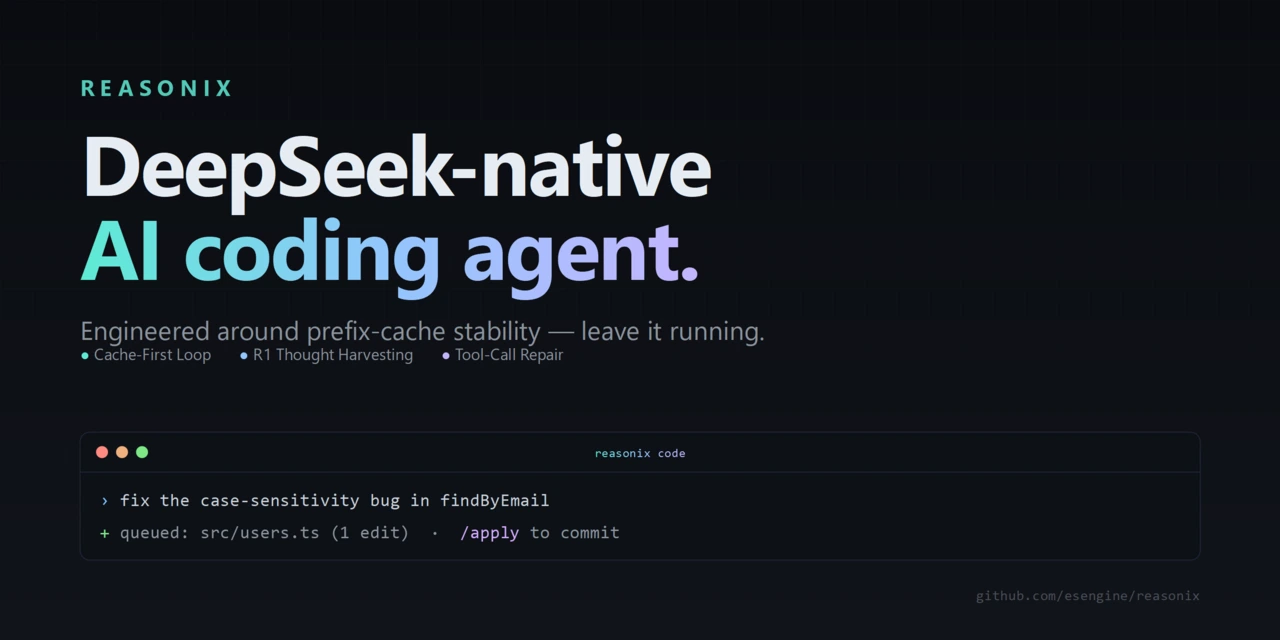
Reasonix is an open-source coding-agent harness with a specific technical thesis: keep long sessions manageable by preserving cache-friendly context, especially with DeepSeek models. That focus still defines the product, but “terminal agent” is now incomplete. The native Go engine powers a CLI, cross-platform desktop app, and VS Code-compatible extension, while Serve and Remote Workbench extend the same configured environment into browser and remote workflows.
Reasonix is also more provider-flexible than its “DeepSeek-native” label suggests, with OpenAI- and Anthropic-compatible configuration paths. This review explains the current v1.19.5 product, what it costs, how it differs from OpenCode and CodeWhale, and when its opinionated design is worth choosing.
Quick Verdict
| Question | Practical answer |
|---|---|
| What is Reasonix? | A local coding-agent harness whose native Go engine powers CLI, desktop, VS Code-compatible, browser, remote, and bot workflows. |
| Best fit | Developers running long terminal sessions who value explicit configuration, cache-aware context, and a DeepSeek-first workflow. |
| Main strength | Cache-aware context and explicit configuration across several surfaces, with usage analytics, compaction control, and inspectable provider and permission boundaries. |
| Main tradeoff | The project moves extremely quickly, while its strongest efficiency story still depends on provider prefix-cache behavior. |
| License | MIT. |
| Software price | Free and open source; model API usage is billed separately by the provider. |
Keep the tool in view
Open Reasonix before you forget it
The profile page adds pricing, pros, cons, and internal alternatives without throwing you straight to a vendor pitch.
What Reasonix Is in 2026
Reasonix reads and edits repository files, executes tools, and supports interactive or one-shot tasks through a shared local Go engine. The CLI remains the clearest expression of the product, but the same engine now backs a desktop app and VS Code-compatible extension; Serve, Remote Workbench, and bot connections add supervised access from other surfaces. Reviews centered on the old TypeScript/Ink implementation, Node 22 requirement, or 0.x command set no longer describe the stable product accurately.
The design is driven by configuration. Providers, models, enabled tools, permissions, and external plugins live in reasonix.toml. DeepSeek ships as a preset, while OpenAI- and Anthropic-compatible endpoints can be added as provider entries. Reasonix can also pair separate executor and planner models in cache-stable sessions. In v1.19.5, Anthropic-compatible providers may expose optional server-side web search, and compaction thresholds can be configured from protected presets or a bounded custom range.
External tools use a subprocess JSON-RPC protocol that is compatible with MCP. Built-in tools register inside the binary. The official guide also documents approvals, sandbox settings, slash commands, @ references, checkpoints, subagent profiles, and bot connections.
Installation and Setup
The CLI installation paths are:
npm install -g reasonix
brew install esengine/reasonix/reasonix
The npm package installs a prebuilt native binary rather than returning to the old TypeScript runtime. GitHub releases also provide archives for macOS, Linux, and Windows. The official download page separately distributes the desktop app, and the editor extension is published for Visual Studio Marketplace plus Open VSX-compatible editors such as VSCodium and Eclipse Theia.
After installation, reasonix setup creates an initial configuration. A typical DeepSeek setup uses DEEPSEEK_API_KEY, while another OpenAI-compatible service needs its own base URL, model identifier, and environment-variable name. Run reasonix for the interactive agent or reasonix run "task" for a one-shot command.
The configuration surface is a benefit for teams that want reproducible agent behavior, but it is also work. You need to choose providers, permission boundaries, tools, and plugins deliberately rather than expecting one hosted account to make those decisions for you.
Reasonix Pricing
Reasonix itself is free under the MIT license. There is no required Reasonix subscription in the public install path.
The real cost comes from model inference and any external services configured as plugins. With the default DeepSeek-oriented setup, usage is billed against your DeepSeek API account. With another OpenAI-compatible endpoint, that provider sets the price. Local or self-hosted endpoints shift the cost to your own hardware and operations.
Reasonix emphasizes cache-aware context because repeated cached input can be cheaper than repeatedly sending a changed prefix. That is a credible engineering goal, but it is not a universal price guarantee. Your cost depends on the selected model, provider rates, cache behavior, task length, tool output, and how often context must be compacted. Test the workflow on representative repositories and inspect provider billing instead of treating a project case study as a forecast.
Strengths
Clear product thesis. Reasonix is designed around durable terminal sessions and cache-aware context rather than adding a thin chat UI to every available model.
Inspectability. The harness, configuration, documentation, releases, and MIT license are public. Teams can review how tools, permissions, providers, and plugins fit together.
Provider escape hatch. DeepSeek is the best-documented preset, but OpenAI-compatible endpoints are configuration rather than a separate fork or code path.
Deployment flexibility. npm, Homebrew, GitHub release archives, and a single native binary cover common macOS, Linux, and Windows setups.
Active development. During the August 4 audit, the public repository showed 29,983 stars, 1,925 forks, roughly 965 open issues, about 4,055 commits, same-hour activity, and separate CLI and desktop v1.19.5 releases from August 3. Those are strong maintenance and interest signals, not independently measured production adoption.
Limitations and Tradeoffs
DeepSeek remains central. Multi-provider support exists, but the project's distinctive cache-efficiency argument and default configuration are still DeepSeek-first. If your team standardizes on unrelated APIs, some of Reasonix's differentiation matters less.
Rapid change increases maintenance cost. Reasonix moved from TypeScript 0.x to Go 1.x and was shipping multiple releases per day around this audit. Check the stable release tag and current documentation before relying on older tutorials or automation.
Configuration is not convenience. A flexible TOML file, permissions, plugins, model pairs, and sandbox controls are powerful, but less turnkey than a managed editor subscription.
Free software does not mean free operation. API calls, search services, remote endpoints, and infrastructure can all create costs outside the repository.
An agent still needs containment. v1.19.5 bounds session replay and hardens workspace-level system-prompt paths, but those fixes do not replace scoped credentials, version control, backups, tests, and human review. Provider-side web search can also add requests and input tokens that the release notes say are not yet fully represented in the cost pipeline.
Compare before you switch
Pressure-test Reasonix
Use the alternatives block on the tool page before you leave for the official site. That one extra step usually saves you a bad pick.
Reasonix vs OpenCode
OpenCode is the better starting point when broad provider choice, a larger general-purpose ecosystem, and a less DeepSeek-specific product identity matter most. It is easier to explain as a provider-flexible open-source coding agent.
Reasonix is the more opinionated choice. Its value proposition is a config-driven native binary, cache-aware long sessions, and a DeepSeek-first preset with optional planner/executor composition. Choose it when those constraints match how you actually work, not merely because both tools run in a terminal.
For a fair comparison, use the same repository, task, model class, permission policy, and budget. Comparing one tool on a fast inexpensive model with another on a premium model mostly measures the model and configuration, not the harness.
Reasonix vs CodeWhale
CodeWhale is the current name of the project formerly known as DeepSeek TUI. It emphasizes a feature-rich terminal agent with Plan, Agent, and YOLO modes, subagents, LSP diagnostics, MCP support, and a headless runtime API.
Reasonix is a better fit when cache-aware context, declarative configuration, a compact native binary, and its planner/executor model composition are the deciding factors. CodeWhale is worth prioritizing when its broader agent modes, language-server feedback, or headless automation surface are closer to your workflow.
Neither project should be chosen from star counts alone. Verify release activity, install each in a disposable repository, and compare review quality, tool reliability, context behavior, and total API cost.
Who Should Choose Reasonix?
Reasonix is worth shortlisting if you:
- prefer terminal-first coding agents and public source;
- expect long sessions where context stability and cache behavior can affect cost;
- want provider, tool, permission, and plugin choices in versionable configuration;
- use DeepSeek or another OpenAI-compatible endpoint;
- are comfortable evaluating a fast-moving agent on representative, reversible tasks.
Look elsewhere first if you want a polished hosted IDE, a fixed monthly bundle, minimal setup, or a provider-neutral experience whose documentation does not assume DeepSeek concepts.
Final Verdict
Reasonix is credible because it has a sharper technical position than most terminal-agent wrappers. The Go rewrite, native distribution, CLI/desktop/editor surfaces, explicit configuration, plugin model, usage analytics, and OpenAI-/Anthropic-compatible provider support make the current product more capable than older “DeepSeek-only Node CLI” summaries imply.
Its specialization is also the caveat. Reasonix makes the most sense when cache-aware long sessions and a DeepSeek-first workflow are actual requirements. If they are not, OpenCode, CodeWhale, Aider, or another general-purpose agent may offer a simpler fit.
For the directory summary, see the Reasonix tool page. For current product facts, use the official Reasonix website, GitHub repository, v1.19.5 release, release-tagged README, and npm package.