T3 Code vs Orca in 2026: Which Agent Control Plane Fits?
TL;DR
Use this article to move into a better next click
- A practical T3 Code vs Orca comparison covering worktrees, supported coding agents, desktop and mobile workflows, remote access, pricing, privacy, and review tools.
- T3 Code is most relevant for CLI Tools + Agentic Coding, and the directory profile adds pricing, tradeoffs, and alternatives.
- Before you commit, compare it with Codex App and Claude Code.
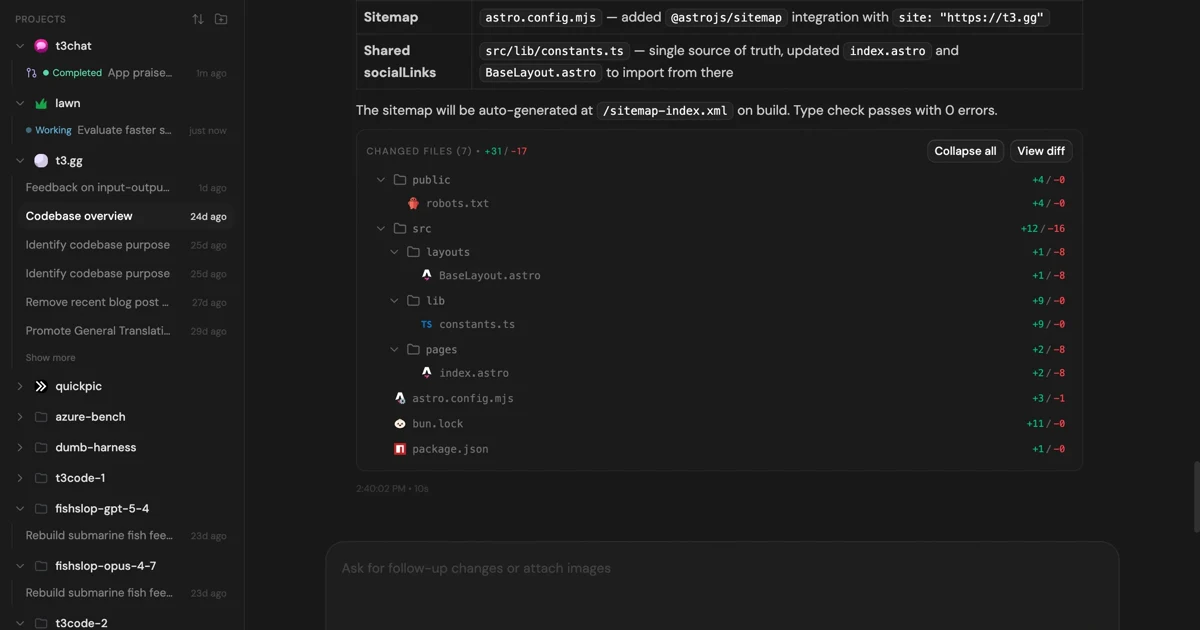
T3 Code and Orca both help developers supervise several coding agents without reducing the workflow to a pile of terminal tabs. They can run agents against real repositories, isolate tasks with git worktrees, keep conversations organized, and bring review and source-control actions into the same workspace.
The difference is where each product starts. T3 Code is a server-and-client control surface: the agents run on a machine you control, while web, desktop, iOS, and Android clients connect to that environment. Orca is a desktop-first agent development environment with richer built-in terminal, editor, browser, diff, and task-management surfaces.
Short answer: choose T3 Code when you want the same agent environment available across web, desktop, and mobile, especially across multiple machines. Choose Orca when the desktop is your main command center and visual review, terminal splits, previews, and worktree comparison matter more than client flexibility.
This comparison uses first-party documentation and public repositories checked on September 11, 2026. Both products ship quickly, so confirm the linked documentation before standardizing a team workflow.
Quick Verdict
| Decision | T3 Code | Orca |
|---|---|---|
| Best fit | Developers who want one agent control surface across web, desktop, mobile, and remote machines | Developers who want a dense desktop workspace for running, inspecting, and reviewing parallel agents |
| Core architecture | A server on a developer-controlled machine with web, Electron desktop, iOS, and Android clients | A desktop agent development environment with mobile companion, SSH, and remote-server options |
| Agent support | Codex, Claude Code, Cursor, Grok Build, OpenCode, and Google Antigravity | Codex, Claude Code, OpenCode, and Pi are the headline integrations; additional terminal workflows are documented separately |
| Parallel work | Threads can start in separate git worktrees, including rapid background submissions | A prompt can be fanned out to isolated worktrees so results can be compared before merging |
| Remote use | T3 Connect, direct LAN or private-network pairing, Tailscale HTTPS, and desktop-managed SSH | SSH worktrees, remote Orca servers, and a mobile companion paired to a desktop or server |
| Review and shipping | Built-in pull-request creation and review across GitHub, GitLab, Bitbucket, and Azure DevOps | Annotated AI diffs, source control, GitHub and issue integrations, previews, and in-workspace review |
| Platforms | Web, Windows, macOS, Linux, iOS, and Android | Windows, macOS, and Linux desktop; iOS and Android companion apps; headless Linux paths |
| License | MIT | MIT |
| Product price | Free and open source; agent subscriptions, model usage, and infrastructure remain separate | Free and open source; agent subscriptions, model usage, and infrastructure remain separate |
Keep the tool in view
Open T3 Code before you forget it
The profile page adds pricing, pros, cons, and internal alternatives without throwing you straight to a vendor pitch.
What T3 Code and Orca Have in Common
Neither product is the coding model. Each sits around agent CLIs and gives the developer a better way to start tasks, follow progress, inspect changes, and turn finished work into reviewable git history.
That distinction matters for cost and security. Installing a free control plane does not include a Claude, Codex, Cursor, OpenCode, or other upstream subscription. The agent still runs with the credentials and permissions configured on its host machine. A worktree also prevents agents from sharing one working directory, but it does not make generated code correct or safe.
Both tools are most useful after a direct CLI workflow starts to strain. If you run one agent on one repository and review every change immediately, a terminal and editor may remain simpler. If you frequently juggle parallel tasks, several repositories, remote machines, or long-running sessions, a dedicated control surface becomes easier to justify.
Where T3 Code Is Stronger
T3 Code's defining feature is that the environment and the client are separate. Its official repository describes a local server that wraps supported provider CLIs, while the user can connect through the web app, an Electron desktop app, or native mobile apps.
Web and mobile are first-class clients
T3 Code treats iOS, Android, web, and desktop as ways to control the same environment. The host machine keeps running the agents and owning the repository state; another device can reconnect to follow a thread, send a response, inspect a pull request, or start work.
This model is a strong fit when work regularly moves between a workstation, laptop, phone, and remote server. It is also useful for a small fleet of machines: T3 Code can group matching projects across connected environments and optionally balance new threads between them.
Remote access has several deployment paths
The remote-access guide documents four practical choices:
- T3 Connect exposes an environment to signed-in devices without router forwarding;
- direct pairing works over a LAN or private network;
- Tailscale HTTPS creates a private HTTPS route;
- desktop-managed SSH starts or reuses T3 Code on a remote machine and forwards the connection.
That flexibility lets a developer choose convenience or tighter network control. It also creates decisions that cannot be skipped: pairing links and authorization codes must be treated like passwords, an exposed host needs deliberate network rules, and the machine running the server must stay reachable.
Source-control hosting support is broader
T3 Code's source-control documentation covers GitHub, GitLab, Bitbucket, and Azure DevOps. A thread can commit, push, create a pull request or merge request, review changes and comments, and keep linked reviews attached to its history. Current GitHub support also includes stacked pull-request workflows.
Choose T3 Code when several hosting providers matter or when pull-request state needs to remain accessible from mobile and web clients as well as the desktop.
Where Orca Is Stronger
Orca calls itself an agent development environment, and the name is useful. Its official repository puts terminals, worktrees, files, previews, browser context, diffs, tasks, and agent status into one desktop workspace.
The desktop workspace is the product
Orca is more opinionated about what supervising an agent should look like. It provides persistent terminal splits, a file explorer and editor, repository previews, per-worktree browser sessions, source-control views, and an activity feed. Design Mode can send a selected page element, its HTML and CSS, and a screenshot to an agent.
Those features reduce context switching during frontend work and review. T3 Code can manage the agent conversation and source-control lifecycle, but Orca offers a fuller visual environment around the code being changed.
Parallel worktree comparison is more prominent
Orca's worktree workflow is designed for parallel execution. The product can fan one task out to several agents, keep each result isolated, and let the developer compare outcomes before choosing what to merge.
T3 Code also supports starting threads in new worktrees and can create several isolated background threads quickly. The emphasis differs: T3 Code organizes durable threads across clients and environments, while Orca makes side-by-side worktree operation and review a central desktop interaction.
Review is closer to the editing surface
Orca can annotate a diff line and send that feedback back to an agent, then edit, commit, and continue reviewing in the same application. GitHub and issue workflows sit alongside repository content, terminals, documents, and browser previews.
Choose Orca when the human review loop is the bottleneck: comparing alternative implementations, inspecting visual changes, commenting on a specific line, and deciding what is ready to ship.
Supported Coding Agents
T3 Code currently lists Codex, Claude Code, Cursor, Grok Build, OpenCode, and Google Antigravity in its installation guide. For CLI-backed providers, the relevant CLI must already be installed and authenticated on the server machine. Antigravity uses an in-app setup path.
Orca's current README highlights Codex, Claude Code, OpenCode, and Pi. Its documentation also covers additional agents and lets developers use terminal-based workflows around the built-in workspace. Exact capabilities differ by integration, so a provider appearing in either product does not guarantee identical model selection, account switching, session restoration, permission controls, or usage tracking.
If one upstream agent is mandatory, check its current integration page before comparing the broader interface. Provider compatibility changes faster than the architectural differences between these products.
Desktop, Mobile, and Remote Work
T3 Code is the clearer choice when mobile or browser access should behave like another control client. Its clients connect to an environment that owns projects, provider credentials, threads, and agent processes. A remote machine can be reached through T3 Connect, a private network, Tailscale, or SSH.
Orca's mobile companion extends the desktop or server workflow. It is useful for receiving completion notifications, reading output, sending follow-ups, and unblocking worktrees away from the desk. The richer editing, browser, terminal, and visual review experience remains centered on Orca's desktop workspace.
For remote compute, Orca supports SSH worktrees and remote Orca servers. This is capable, but the mental model still starts with an Orca workspace. T3 Code starts with an environment that several kinds of client can control.
Compare before you switch
Pressure-test T3 Code
Use the alternatives block on the tool page before you leave for the official site. That one extra step usually saves you a bad pick.
Pricing and Licensing
T3 Code and Orca are both free, open-source projects under the MIT license:
The software license does not eliminate operating costs. You still provide any coding-agent subscription, model API usage, repository-host account, remote machine, private-network service, or other infrastructure the workflow needs.
T3 Code's optional hosted connection services also introduce an account and service dependency even though the agents and repository remain on a host you control. Evaluate that separately from running the open-source server only on a local or private network.
Privacy and Security Tradeoffs
Both products control powerful agent processes with access to source code, terminals, git credentials, and provider accounts. The safest setup is not determined by the logo on the client; it depends on the host permissions, provider configuration, network exposure, plugins, repository instructions, and review gates around the agent.
For T3 Code, the main boundary is the environment server. Keep it loopback-only when remote access is unnecessary. For remote use, prefer a private network or carefully configured connection path, revoke old device sessions, protect one-time pairing links, and keep provider and repository credentials least-privileged.
Orca documents anonymous product telemetry and an opt-out in its privacy and telemetry guide. It says repository contents, prompts, terminal output, file paths, and environment variables are excluded from those events. Teams should still inspect the current build, disable telemetry when policy requires it, and review mobile, SSH, remote-server, and agent permission settings before opening sensitive repositories.
For either tool, test first on a disposable or non-sensitive repository. Confirm where credentials are stored, what network listeners are active, which commands an agent may run without approval, and how a finished change moves through tests and branch protection.
Which One Should You Choose?
Choose T3 Code when:
- web, desktop, iOS, and Android should control the same agent environment;
- several local or remote machines need to appear in one workflow;
- GitHub, GitLab, Bitbucket, or Azure DevOps integration matters;
- provider support for Cursor, Grok Build, or Antigravity is important;
- durable threads and pull-request state should remain accessible across devices.
Choose Orca when:
- the desktop is the main place where agents are supervised;
- terminal splits, files, previews, browser context, and diffs should live together;
- comparing several agent results across worktrees is a common workflow;
- line-level feedback on AI-generated diffs is central to review;
- a mobile companion is enough away from the desk.
Keep using direct agent CLIs when:
- you rarely run more than one task at a time;
- your editor and terminal already make branch and session state clear;
- remote control would add more exposure than value;
- you do not want another server or desktop application in the development path.
If cross-device self-hosting is the main requirement but neither product fits, Paseo vs Orca compares another control-plane approach with stronger emphasis on daemon, CLI, and SDK workflows.
Bottom Line
T3 Code and Orca overlap, but they optimize different parts of multi-agent development. T3 Code is the better distributed control surface: its server-and-client design works naturally across browsers, desktops, phones, and remote machines. Orca is the better visual operations workspace: it puts parallel worktrees, terminals, code, browser context, and review into a more complete desktop environment.
The best evaluation is one real task in a disposable repository. Start two isolated worktrees, connect the upstream agent you actually pay for, review the resulting diffs, try the remote or mobile path you expect to use, and inspect the network and credential boundaries. The product that makes that full loop easier to understand and safer to repeat is the better choice.