
Orca
MIT-licensed agent development environment for running Claude Code, Codex, OpenCode, Cursor CLI, and custom agents in parallel Git worktrees.
Do not bounce yet
Read the fit check, compare one alternative, then decide whether the vendor page is still your best next click.
Quick Verdict
Fast fit check before you leave the page
Make the fit call first. Vendor pages are good at selling, but they rarely tell you where the product is a bad match.
- Developers running multiple Claude Code, Codex, OpenCode, Cursor CLI, or custom agent sessions in parallel
- Teams that need worktree isolation, diff annotation, task context, and review gates around agent-generated changes
- Remote-first engineers who run agents on SSH hosts or VPS machines and want desktop plus mobile monitoring
- The project only appeared in March 2026 and is changing rapidly, so workflow and configuration stability are not yet proven.
- Orca does not include model usage: users still need compatible agent installs, subscriptions or API credentials, and parallel sessions can multiply cost and review debt.
- Anonymous product telemetry is documented and opt-out rather than absent; organizations with strict policies must disable it and verify network behavior themselves.
Compare Next
Take one more internal step before the vendor pitch
This is where visitors usually jump out too early. Read one deeper take or open one alternative so the next click is informed instead of impulsive.
Related article
Orca Review 2026: Worktree IDE for Claude Code, Codex, OpenCode, and Pi
A practical Orca review covering official links, parallel worktrees, desktop and mobile workflows, pricing reality, MIT licensing, tradeoffs, and alternatives.
Alternative profile
Mux
Open-source desktop and browser coding-agent multiplexer for running parallel AI agents across isolated local, worktree, and SSH workspaces.
Alternative profile
Claude Squad
Open-source terminal app for managing multiple AI coding agents like Claude Code, Codex, OpenCode, and Aider across isolated workspaces.
Alternative profile
cmux
Native macOS terminal for running parallel AI coding agents with vertical tabs, browser splits, SSH workspaces, and attention-aware notifications.
Orca is an open-source agent development environment for developers who already use Claude Code, Codex, OpenCode, Cursor CLI, or custom agents and now need a sane way to run several of them at once. Its core model is concrete: each task gets an isolated Git worktree, while the desktop app keeps terminals, sessions, diffs, browser previews, issue context, remote machines, and mobile follow-up in one control surface. That is a more defensible job than another generic model wrapper, but Orca is young and an unresolved Windows security report means teams should pilot it with least-privilege credentials and non-sensitive repositories first.
Orca is a desktop agent development environment for coordinating several coding agents without collapsing their work into one terminal or branch. It runs supported agent CLIs side by side in isolated Git worktrees, restores sessions, compares and annotates diffs, and connects tasks to GitHub, Linear, Jira, an embedded browser, SSH hosts, and a mobile companion. Developers still bring their own agent subscriptions or API access, so Orca is an orchestration and review layer rather than another model provider.
Why Choose Orca?
Choose Orca when the bottleneck has moved from generating one patch to coordinating, comparing, and reviewing several agent workstreams.
Its agent-neutral worktree model is useful for teams that want to evaluate Claude Code, Codex, OpenCode, Cursor CLI, and custom agents without rebuilding orchestration around each one.
Embedded diff review, GitHub and issue integrations, browser Design Mode, SSH support, and mobile monitoring cover more of the real delivery loop than a terminal multiplexer alone.
Do not adopt it on star count alone: verify agent permission flags, credential handling, local listener exposure, telemetry settings, and network behavior in the current build before exposing production code.
Key Features
Runs Claude Code, Codex, OpenCode, Cursor CLI, and custom CLI agents side by side, with each task isolated in its own Git worktree.
Restores agent sessions and terminal layouts, tracks usage and rate limits, and supports switching or resuming work across supported agent harnesses.
Provides source-control status, diff review, line annotations, commit and push actions, hosted reviews, GitHub issues and Actions, plus Linear and Jira task drawers.
Includes an embedded Chromium browser, per-worktree previews, and Design Mode for sending selected HTML, CSS, and cropped visual context to an agent.
Connects to remote machines through SSH or remote Orca servers, while the mobile companion can monitor sessions, receive completion notifications, and send follow-ups.
Ships desktop builds for macOS, Windows, and Linux under MIT, with CLI orchestration, scheduled automations, skills, and MCP-related workflows documented by the project.
Pros & Cons
- Treats parallel coding agents as isolated workstreams with review and merge controls instead of merely opening more terminal panes.
- Works above several agent CLIs, reducing dependence on a single model vendor or harness.
- Desktop, SSH, remote-server, and mobile surfaces make long-running agent work observable away from one local terminal.
- MIT licensing, active development, first-party documentation, and meaningful repository traction make the implementation unusually inspectable for a young orchestration tool.
- The project only appeared in March 2026 and is changing rapidly, so workflow and configuration stability are not yet proven.
- Orca does not include model usage: users still need compatible agent installs, subscriptions or API credentials, and parallel sessions can multiply cost and review debt.
- Anonymous product telemetry is documented and opt-out rather than absent; organizations with strict policies must disable it and verify network behavior themselves.
- An unresolved user report against Windows v1.4.148 alleges cross-agent config mutation, credential duplication, an all-interface daemon listener, and permission-bypass launch defaults. The claims were not independently reproduced in this audit, but they are serious enough to require a least-privilege test environment before production adoption.
Detailed Use Cases for Orca
Send one task to several supported coding agents, preserve each result in its own Git worktree, then compare diffs and merge the best implementation without branch collisions.
Track terminals, sessions, source-control state, GitHub issues, Linear or Jira items, and review feedback while several agents work on independent tasks.
Use the per-worktree browser and Design Mode to capture selected UI structure and visual context, then annotate the resulting code diff before committing or pushing.
Run Orca or individual worktrees on an SSH host or remote server, receive completion notifications, and send follow-up instructions through the mobile companion.
Who Should Use Orca?
Developers running multiple Claude Code, Codex, OpenCode, Cursor CLI, or custom agent sessions in parallel
Teams that need worktree isolation, diff annotation, task context, and review gates around agent-generated changes
Remote-first engineers who run agents on SSH hosts or VPS machines and want desktop plus mobile monitoring
Security-conscious evaluators willing to test a fast-moving open-source orchestration layer in a least-privilege environment
Perfect For
Race the same implementation task across multiple coding agents in separate worktrees, compare the diffs, and merge the strongest result.
Coordinate several independent agent tasks while retaining task status, terminal sessions, source-control context, and review checkpoints in one desktop workspace.
Run agents on a remote workstation or VPS over SSH while monitoring progress and sending follow-ups from a phone.
Inspect a UI in the embedded browser, capture precise design context, and route that evidence into an agent without relying on a vague full-page screenshot.
Technical Details
Direct Competitors
Vibe Kanban
cmux
Parallel Code
Claude Squad
Cursor
Similar Tools You Might Like
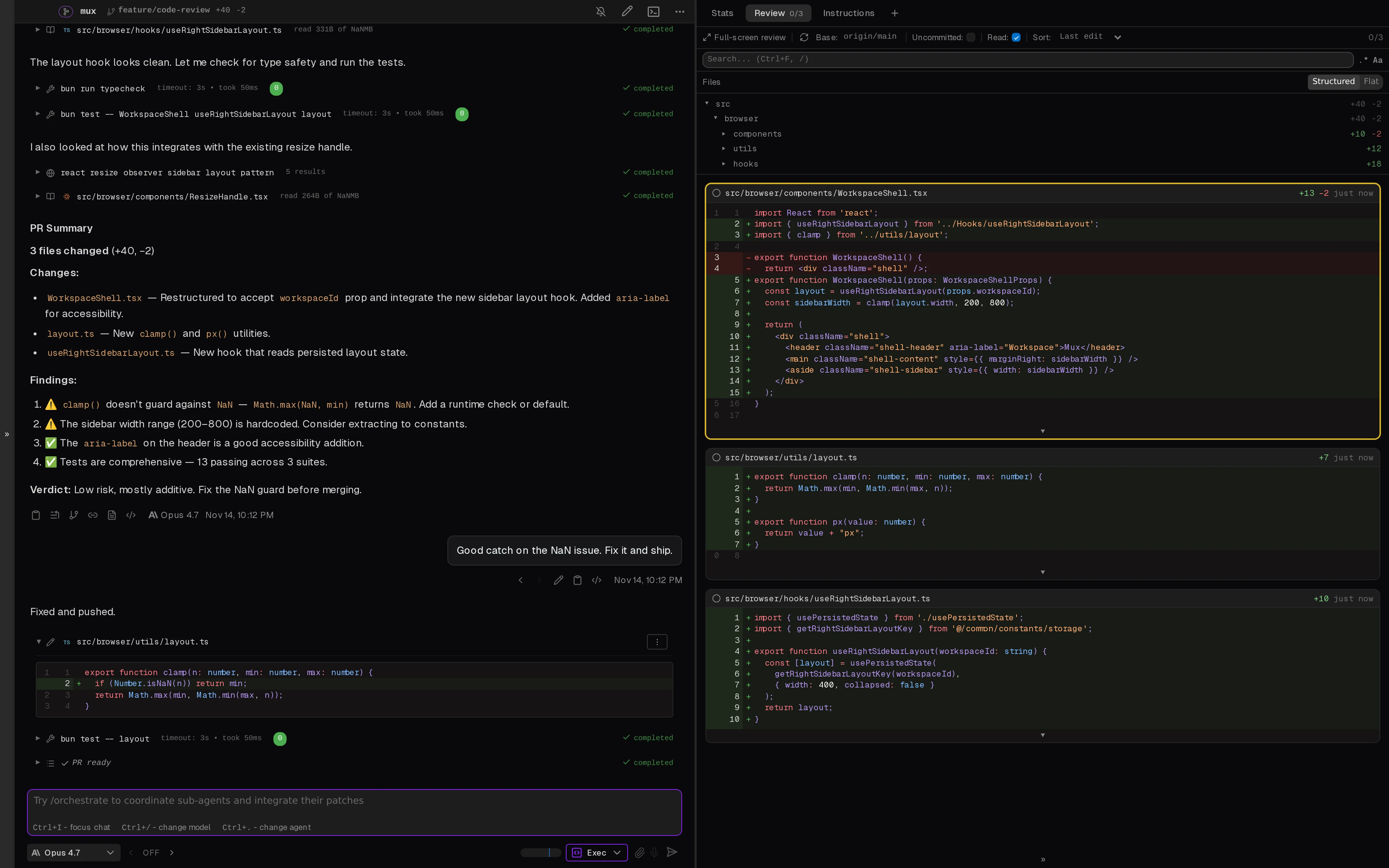
Open-source desktop and browser coding-agent multiplexer for running parallel AI agents across isolated local, worktree, and SSH workspaces.

Open-source macOS workspace that links coding-agent sessions to commits and shares local project memory across Claude Code, Codex, and ACP agents.
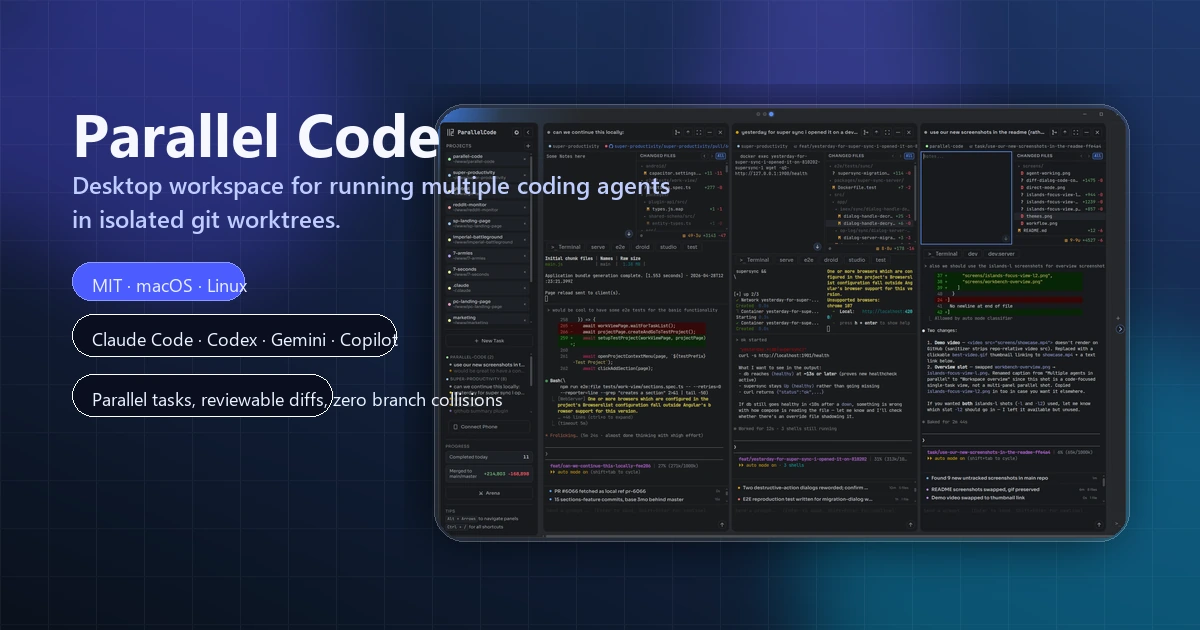
Open-source desktop workspace for running multiple AI coding agents in parallel across isolated git worktrees.
Alternative Tools to Consider
Open-source desktop and browser coding-agent multiplexer for running parallel AI agents across isolated local, worktree, and SSH workspaces.

Open-source terminal app for managing multiple AI coding agents like Claude Code, Codex, OpenCode, and Aider across isolated workspaces.

Native macOS terminal for running parallel AI coding agents with vertical tabs, browser splits, SSH workspaces, and attention-aware notifications.

AI code editor with local, cloud, CLI, and mobile coding agents
Open-source desktop workspace for running multiple AI coding agents in parallel across isolated git worktrees.
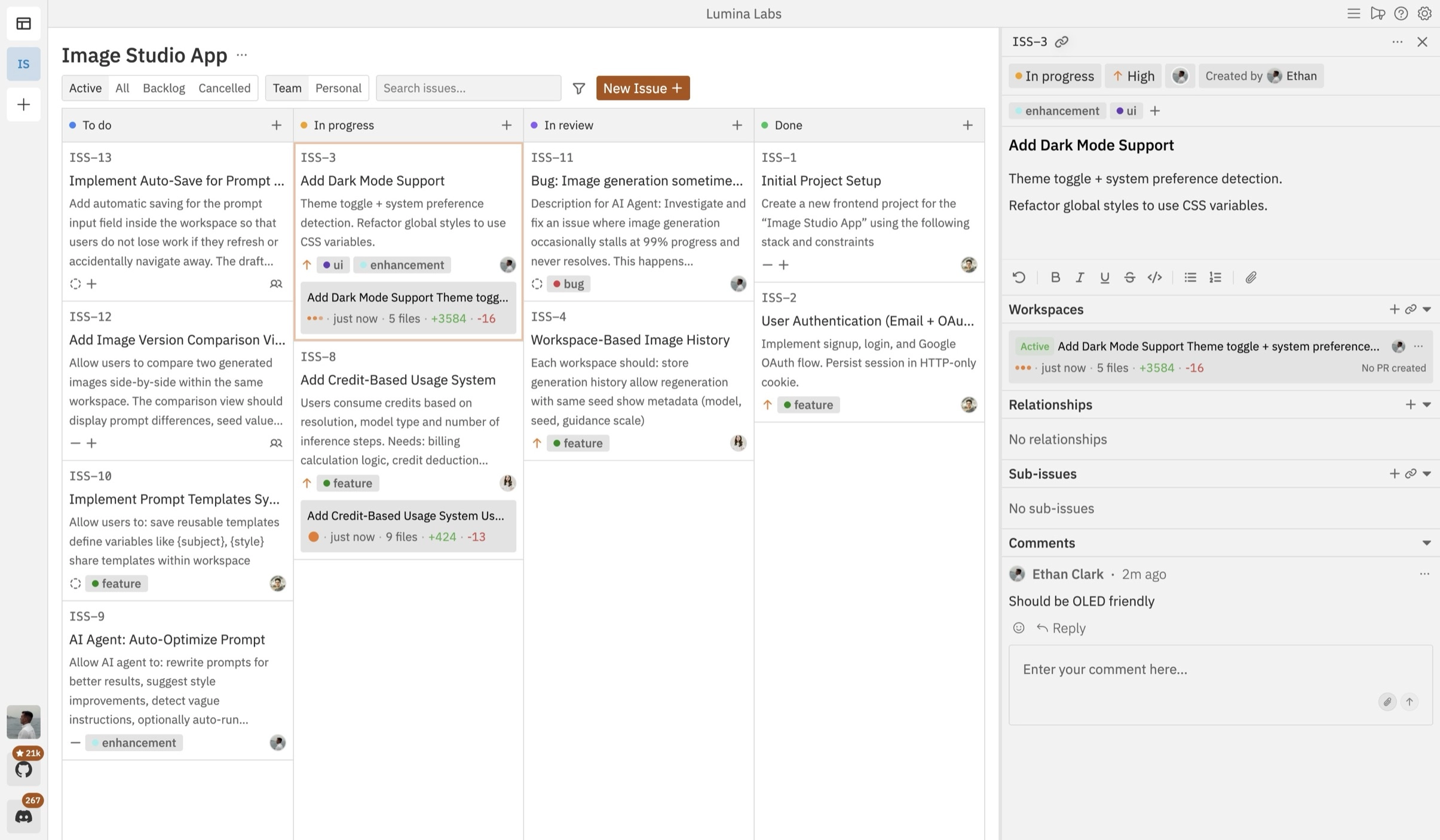
Open-source Kanban control plane for planning, running, and reviewing multiple coding agents across isolated workspaces.
Do one more comparison before you commit to Orca
Strong picks usually survive one more internal check. Read deeper, compare a neighbor, then leave for the vendor page if the fit still holds.