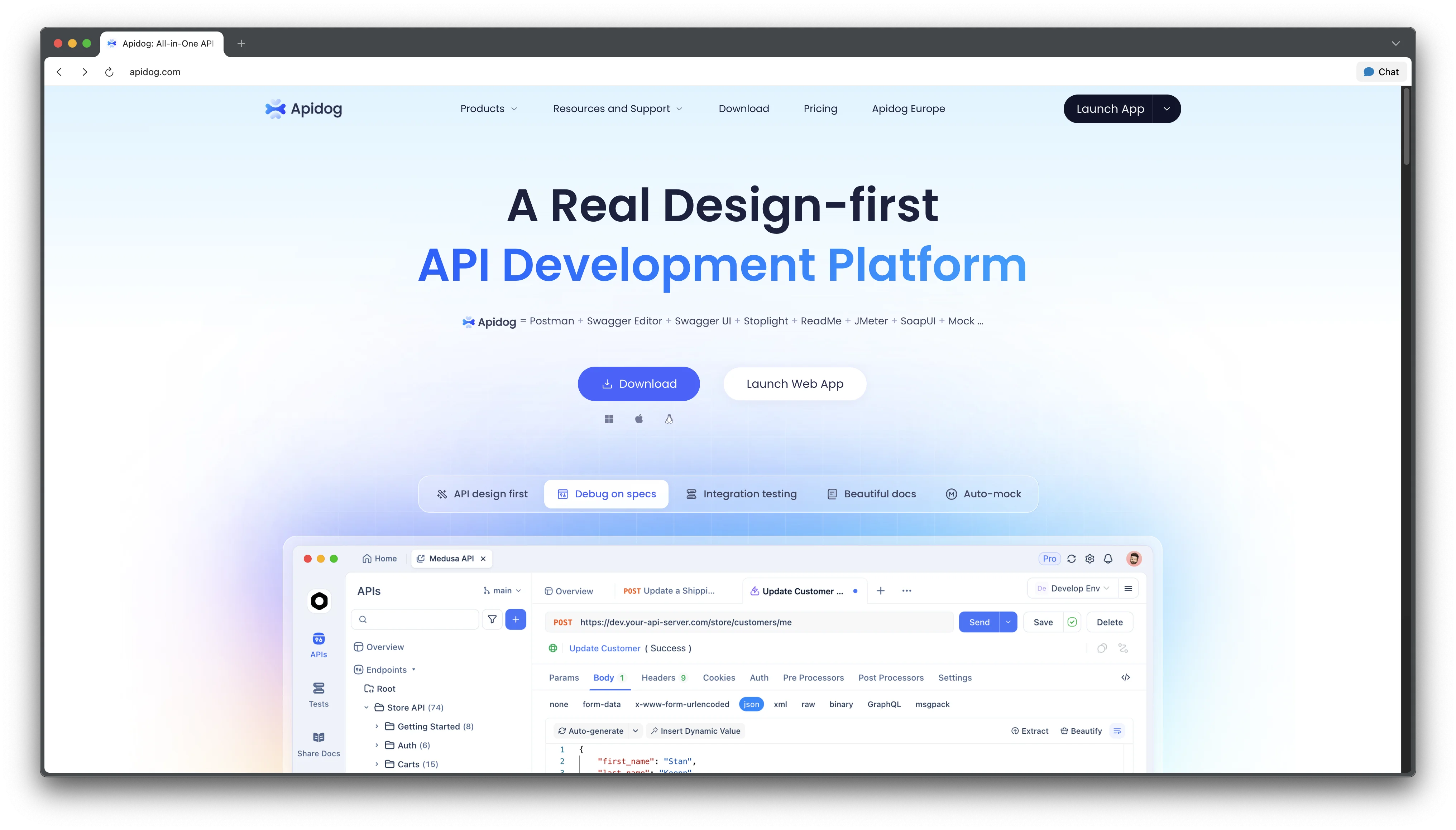
Apidog MCP Server
Official beta MCP connector that grounds AI coding assistants in Apidog projects, published API docs, or OpenAPI files.
Do not bounce yet
Read the fit check, compare one alternative, then decide whether the vendor page is still your best next click.
Quick Verdict
Fast fit check before you leave the page
Make the fit call first. Vendor pages are good at selling, but they rarely tell you where the product is a bad match.
- Frontend and SDK developers who want an AI coding assistant to generate types, clients, or integration code from the team's current API contract
- Backend teams using Apidog projects as the source of truth for endpoint and schema definitions
- Developers integrating a public API whose documentation is published through Apidog
- The official documentation still labels the MCP Server as beta
- Cached specifications must be refreshed when the API contract changes
- Private project mode requires a personal access token and careful secret handling
Compare Next
Take one more internal step before the vendor pitch
This is where visitors usually jump out too early. Read one deeper take or open one alternative so the next click is informed instead of impulsive.
Alternative profile
Pi
Minimal terminal coding harness with extensions, skills, tree-structured sessions, and serious multi-provider model support.
Alternative profile
Kastra
Runtime authorization and audit layer for coding agents that checks Claude Code, Codex, Cursor, and OpenClaw actions against deterministic policies before they run.
Alternative profile
Weave Router
Source-available model router that plugs into Claude Code, Codex, opencode, Cursor, and API clients to route each agent request to a cost-appropriate model.
Apidog MCP Server is a local connector for giving an MCP-compatible coding assistant direct access to an API specification. It can read a private Apidog project, a public documentation site published through Apidog, or a local or remote OpenAPI file, then cache that specification so the assistant can answer endpoint questions and generate contract-aware code. The connector is still in beta, requires Node.js 18 or later, and does not include an AI model of its own.
Apidog MCP Server is Apidog's official beta connector for giving MCP-compatible coding assistants access to API specifications. It runs locally with Node.js 18 or later, caches specification data on the developer's machine, and can read from a private Apidog project, a public documentation site published through Apidog, or a local or remote OpenAPI file. The server supplies API context to tools such as Cursor and VS Code with Cline; it is not an AI model or a replacement for reviewing generated code. Private Apidog projects require a personal API access token, which should be kept in a local environment variable rather than committed in a shared MCP configuration.
Why Choose Apidog MCP Server?
The connector gives an AI assistant structured endpoint, schema, parameter, authentication, and example data from the specification instead of relying on a pasted excerpt or a guessed API shape.
Three source modes cover common workflows: authenticated Apidog projects for internal APIs, published Apidog documentation for public APIs, and local or remote OpenAPI files for vendor-neutral specifications.
The server runs locally and caches specification data, while the coding assistant remains responsible for the conversation and code changes. This keeps the connector focused on API context rather than bundling another model subscription.
Apidog provides copyable MCP configuration from its AI Coding entry, and the same server can be configured in Cursor, VS Code with Cline, or another client that supports MCP servers.
Key Features
Local MCP server that reads and caches API specification data for compatible coding assistants
Authenticated connection to private Apidog projects with a project ID and personal API access token
Token-free connection to public API documentation sites published through Apidog
Support for local or remote OpenAPI and Swagger files
Specification lookup for endpoints, schemas, parameters, authentication details, and examples
Node.js 18+ setup for Cursor, VS Code with Cline, and other MCP-compatible clients
Optional API base URL for Apidog on-premise and European deployments
Pros & Cons
- Uses the API contract as context instead of asking the model to infer endpoint shapes
- Works with Apidog projects, published documentation, and standalone OpenAPI files
- Public documentation and OpenAPI modes avoid a private Apidog project token
- Fits existing MCP clients rather than requiring a dedicated AI editor
- The official documentation still labels the MCP Server as beta
- Cached specifications must be refreshed when the API contract changes
- Private project mode requires a personal access token and careful secret handling
- The connector supplies context but does not replace an AI model, code review, or contract tests
Detailed Use Cases for Apidog MCP Server
Let a coding assistant inspect documented schemas, parameters, and examples before generating TypeScript types, Java records, request helpers, or other client code.
Refresh the cached specification, then ask the assistant to reconcile DTOs or integration code with fields that changed in the current API contract.
Connect an Apidog project with a personal access token so the assistant can answer endpoint questions without copying private documentation into every prompt.
Avoid project credentials when the source is a public Apidog documentation site, or point the connector at a local or remote OpenAPI file for a more portable setup.
Who Should Use Apidog MCP Server?
Frontend and SDK developers who want an AI coding assistant to generate types, clients, or integration code from the team's current API contract
Backend teams using Apidog projects as the source of truth for endpoint and schema definitions
Developers integrating a public API whose documentation is published through Apidog
Teams with local or remote OpenAPI files that want specification-aware coding help without moving the source into an Apidog project
Developers who can protect project tokens locally and review generated code before it reaches production
Perfect For
Generate types, DTOs, client code, or controller scaffolding from an API specification
Answer endpoint and schema questions without switching to a documentation browser
Update integration code after a documented API contract changes
Give a coding assistant access to a public API's Apidog documentation or an OpenAPI file
Technical Details
Direct Competitors
Attach an OpenAPI file directly to the coding assistant
Build a custom MCP server for internal API documentation
Use published API documentation manually alongside the editor
Similar Tools You Might Like
Runtime authorization and audit layer for coding agents that checks Claude Code, Codex, Cursor, and OpenClaw actions against deterministic policies before they run.
Source-available model router that plugs into Claude Code, Codex, opencode, Cursor, and API clients to route each agent request to a cost-appropriate model.

Open-source web agent library and cloud platform that gives coding agents real browser automation instead of file-only guessing.
Alternative Tools to Consider

Minimal terminal coding harness with extensions, skills, tree-structured sessions, and serious multi-provider model support.
Do one more comparison before you commit to Apidog MCP Server
Strong picks usually survive one more internal check. Read deeper, compare a neighbor, then leave for the vendor page if the fit still holds.