
AI Rules
Apache-2.0 CLI that keeps coding rules, commands, and skills synchronized across multiple AI coding agents from one source.
Do not bounce yet
Read the fit check, compare one alternative, then decide whether the vendor page is still your best next click.
Quick Verdict
Fast fit check before you leave the page
Make the fit call first. Vendor pages are good at selling, but they rarely tell you where the product is a bad match.
- Teams using Claude Code, Codex, Cursor, Gemini, Goose, or other coding agents on the same repositories
- Developers maintaining shared project conventions across vendor-specific agent file formats
- Platform engineers who want generated context to be checked and cleaned through a CLI
- It manages agent context; it does not provide a model, coding agent, permission boundary, or correctness guarantee.
- Generated instructions can still be wrong or overly broad, so changes need ordinary code review and secret hygiene.
- The public project does not publish independent adoption or productivity evidence, and the maintainer/repository history is still relatively young.
Compare Next
Take one more internal step before the vendor pitch
This is where visitors usually jump out too early. Read one deeper take or open one alternative so the next click is informed instead of impulsive.
Alternative profile
Context7
Documentation context layer that feeds up-to-date, version-specific library docs and code snippets into Cursor, Claude, and other coding agents.
Alternative profile
Cursor
AI code editor with local, cloud, CLI, and mobile coding agents
Alternative profile
Repomix
Open-source CLI and MCP tool that packs whole repositories into AI-friendly formats so coding agents can reason over real codebases with less setup friction.
AI Rules is a small but useful piece of infrastructure for teams doing vibe coding with more than one agent. Instead of hand-editing CLAUDE.md, AGENTS.md, Cursor files, command directories, and skills separately, you keep Markdown rules in one ai-rules directory and generate the files each supported agent expects. The Apache-2.0 Rust CLI can target 11 named agents, check synchronization, clean generated output, traverse nested directories, update gitignore rules, and manage commands, skills, and MCP configuration overlays. That makes it a context-management tool rather than an AI model or autonomous coding agent: its value is reducing instruction drift before an agent touches the repository, while its limitations are the accuracy of the rules you write and the still-limited independent evidence of adoption.
AI Rules is a Rust CLI for teams that maintain project guidance across several coding agents. It stores canonical Markdown rules, commands, and skills in an ai-rules directory, then generates and checks agent-specific files for AMP, Claude Code, Cline, Codex, Copilot, Cursor, Firebender, Gemini, Goose, Kilocode, and Roo. Selective generation, nested-directory traversal, status checks, cleanup, gitignore support, and MCP configuration overlays make it a practical context-management layer for vibe coding rather than another model or chat wrapper. The project is self-hosted and Apache-2.0 licensed; model access, agent subscriptions, and any MCP services remain separate costs and trust boundaries.
Why Choose AI Rules?
Choose AI Rules when the same repository is used with multiple coding agents and agent-specific instruction files are starting to drift.
Its strongest differentiator is a canonical source plus generated targets, with status and clean commands that make the synchronization state inspectable.
The project names 11 supported agent targets and also manages commands, skills, nested rules, gitignore behavior, and MCP configuration overlays.
Do not confuse synchronized instructions with safe instructions: review rule changes like code, exclude secrets, and smoke-test each agent target.
Key Features
Keep canonical Markdown rules, commands, and skills in one ai-rules directory and generate agent-specific files from it.
Generate for all supported agents or select targets such as Claude Code and Cursor with one command.
Check synchronization status and remove generated files with dedicated status and clean commands.
Support 11 named agent targets: AMP, Claude Code, Cline, Codex, Copilot, Cursor, Firebender, Gemini, Goose, Kilocode, and Roo.
Handle nested directories, optional .gitignore updates, custom commands and skills, and MCP configuration overlays.
Ship as a Rust CLI under the Apache-2.0 license with versioned releases and first-party compatibility documentation.
Pros & Cons
- Creates one reviewable source of truth instead of letting CLAUDE.md, AGENTS.md, and vendor-specific files drift apart.
- Useful for teams that switch agents because the same project conventions can be generated selectively for different clients.
- Status and clean commands make generated context auditable and reversible rather than invisible repository magic.
- MCP overlay support and skills/commands management extend beyond plain instruction-file copying.
- It manages agent context; it does not provide a model, coding agent, permission boundary, or correctness guarantee.
- Generated instructions can still be wrong or overly broad, so changes need ordinary code review and secret hygiene.
- The public project does not publish independent adoption or productivity evidence, and the maintainer/repository history is still relatively young.
- Compatibility is documented per agent but should be smoke-tested against the exact agent versions a team runs.
Detailed Use Cases for AI Rules
Write project rules once in Markdown, then generate the agent-specific files needed by Claude Code, Cursor, Codex, and the other supported targets.
Run the status command before an agent session or in CI to see whether generated files still match the canonical ai-rules directory.
Keep reusable agent commands and skills in the same workflow instead of scattering hand-maintained copies across vendor directories.
Use the newer MCP configuration support to generate compatible configuration while retaining the same reviewable project source.
Who Should Use AI Rules?
Teams using Claude Code, Codex, Cursor, Gemini, Goose, or other coding agents on the same repositories
Developers maintaining shared project conventions across vendor-specific agent file formats
Platform engineers who want generated context to be checked and cleaned through a CLI
Open-source projects that prefer a self-hosted Apache-2.0 workflow over a hosted prompt-management service
Perfect For
Keep a shared project standard synchronized across Claude Code, Codex, Cursor, Gemini CLI, and other coding agents.
Generate only the files needed by a contributor or repository while retaining one canonical rules source.
Add agent commands and skills without hand-maintaining each vendor-specific directory.
Review and repair context drift before an agent starts changing production code.
Technical Details
Direct Competitors
AGENTS.md
CLAUDE.md
Cursor Rules
Repomix
Context7
Similar Tools You Might Like
MIT-licensed local memory server and CLI for carrying coding context, summaries, and handoffs across Claude Code, Codex, Cursor, OpenCode, and other agent clients.
MIT-licensed codebase knowledge graph and MCP server for structural search, natural-language exploration, data-flow tracing, and agent-assisted edits across mixed-language repositories.
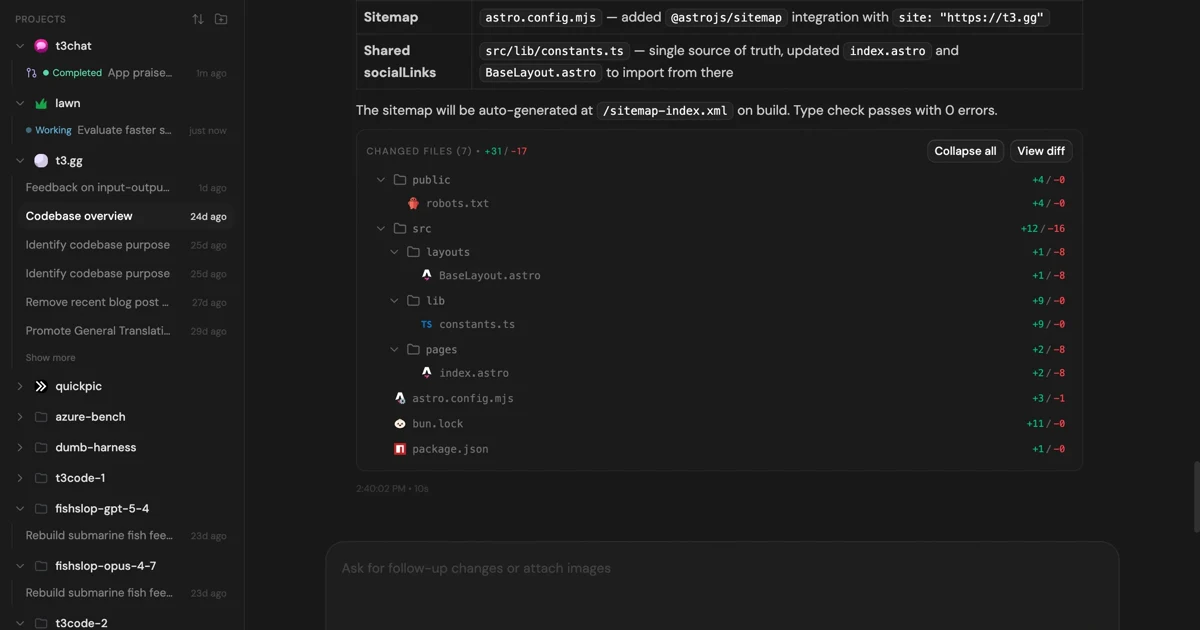
MIT-licensed control plane for running Claude Code, Codex, Cursor, Grok, and OpenCode threads from desktop, web, iOS, and Android clients.
Alternative Tools to Consider

Documentation context layer that feeds up-to-date, version-specific library docs and code snippets into Cursor, Claude, and other coding agents.

AI code editor with local, cloud, CLI, and mobile coding agents

Open-source CLI and MCP tool that packs whole repositories into AI-friendly formats so coding agents can reason over real codebases with less setup friction.
Do one more comparison before you commit to AI Rules
Strong picks usually survive one more internal check. Read deeper, compare a neighbor, then leave for the vendor page if the fit still holds.