
Libretto
Open-source CLI and agent skill for turning browser exploration into deterministic Playwright automations you can inspect and maintain.
Do not bounce yet
Read the fit check, compare one alternative, then decide whether the vendor page is still your best next click.
Quick Verdict
Fast fit check before you leave the page
Make the fit call first. Vendor pages are good at selling, but they rarely tell you where the product is a bad match.
- Developers maintaining browser automations or internal web integrations
- Teams comparing Libretto vs Browser Use or Libretto vs Stagehand
- Operator-led coding-agent workflows where a human demonstrates the path before the agent writes code
- It still lives in the browser-automation world, so hostile auth flows, bot defenses, and brittle enterprise UIs remain annoying.
- Snapshot analysis requires your own model credentials, so the tool may be open source while the workflow still incurs API cost.
- Public adoption is still early, which means you should evaluate it carefully instead of assuming long-term ecosystem stability.
Compare Next
Take one more internal step before the vendor pitch
This is where visitors usually jump out too early. Read one deeper take or open one alternative so the next click is informed instead of impulsive.
Alternative profile
Browser Use
Open-source web agent library and cloud platform that gives coding agents real browser automation instead of file-only guessing.
Alternative profile
Playwright CLI
Official open-source Playwright CLI with agent skills for token-efficient browser automation inside coding-agent workflows.
Alternative profile
ai-memory
MIT-licensed local memory server and CLI for carrying coding context, summaries, and handoffs across Claude Code, Codex, Cursor, OpenCode, and other agent clients.
Libretto is a browser-automation tool for people who are tired of agents improvising opaque browser behavior at runtime. It combines a live browser, action recording, snapshots, and network capture so your coding agent can produce real Playwright code you can inspect and maintain instead of leaving you with a prompt-shaped black box.
Libretto is an open-source toolkit for teams building or maintaining browser automations with coding agents. Instead of treating browser work as opaque runtime magic, it gives agents a live browser, action recording, network capture, snapshots, and step-through debugging so they can generate real Playwright code you can inspect, version, and fix. That makes it materially relevant to vibe coding and agentic development, especially when messy authenticated workflows or legacy web apps punish prompt-and-pray automation.
Why Choose Libretto?
Choose Libretto if you want browser automation outputs to become actual code under version control rather than fragile runtime agent behavior.
It is especially compelling when the target workflow is authenticated, ugly, legacy, or otherwise too brittle for prompt-and-pray browser agents.
The action-recording plus debugging loop gives it a more operational feel than tools that only sell autonomous browsing theater.
Because it is open source and CLI-native, it fits teams that prefer repo-local control over a hosted browser-only abstraction.
Key Features
Gives coding agents a live browser plus token-efficient snapshots instead of forcing everything through huge visual context dumps.
Records manual user actions so an agent can rebuild the demonstrated workflow as a real Playwright script.
Captures network traffic to help reverse-engineer internal site APIs when direct requests are more reliable than fragile UI selectors.
Supports step-through debugging and session resume for fixing broken browser automations against the real page state.
Stores reusable browser profiles and session artifacts so authenticated workflows do not have to restart from zero every time.
Ships as an open-source CLI with explicit setup, status, open, snapshot, exec, run, and resume commands.
Pros & Cons
- Libretto attacks a real pain point: converting browser-agent chaos into code you can inspect, version, and review.
- The network-capture plus Playwright hybrid is more credible on ugly legacy apps than agents that only guess from DOM structure at runtime.
- It is useful for maintenance and debugging, not just greenfield automation demos.
- Public docs, releases, and an install path make it more defensible than the usual weekend wrapper with no operating story.
- It still lives in the browser-automation world, so hostile auth flows, bot defenses, and brittle enterprise UIs remain annoying.
- Snapshot analysis requires your own model credentials, so the tool may be open source while the workflow still incurs API cost.
- Public adoption is still early, which means you should evaluate it carefully instead of assuming long-term ecosystem stability.
- The official narrative leans heavily toward healthcare portal workflows, which may undersell or complicate its broader market positioning.
Detailed Use Cases for Libretto
Use Libretto when you want an agent to turn a demonstrated workflow into Playwright code that can be reviewed, versioned, and improved like normal engineering output.
Libretto is useful when a selector fails or a workflow drifts and you need the agent to inspect the current page state instead of hallucinating a patch from logs.
Its network-capture workflow can help identify when a slow UI automation should be replaced by faster browser-session API calls without losing authentication context.
If a human operator must first demonstrate the real path through a hostile or inconsistent web app, Libretto gives the agent a better handoff than a vague prompt ever will.
Who Should Use Libretto?
Developers maintaining browser automations or internal web integrations
Teams comparing Libretto vs Browser Use or Libretto vs Stagehand
Operator-led coding-agent workflows where a human demonstrates the path before the agent writes code
Infra-minded builders who want inspectable Playwright artifacts instead of opaque browser-agent actions
Perfect For
Generate deterministic Playwright scripts after showing a coding agent the exact browser workflow you want automated.
Debug and repair broken browser automations against live pages instead of guessing from stale logs.
Reverse-engineer internal network requests so a browser-heavy workflow can be replaced with faster direct API calls where safe.
Maintain authenticated internal web integrations where manual guidance and inspectable code matter more than flashy one-shot agent demos.
Technical Details
Direct Competitors
Browser Use
Stagehand
Skyvern
Playwright
Similar Tools You Might Like

MIT-licensed local memory server and CLI for carrying coding context, summaries, and handoffs across Claude Code, Codex, Cursor, OpenCode, and other agent clients.
MIT-licensed codebase knowledge graph and MCP server for structural search, natural-language exploration, data-flow tracing, and agent-assisted edits across mixed-language repositories.
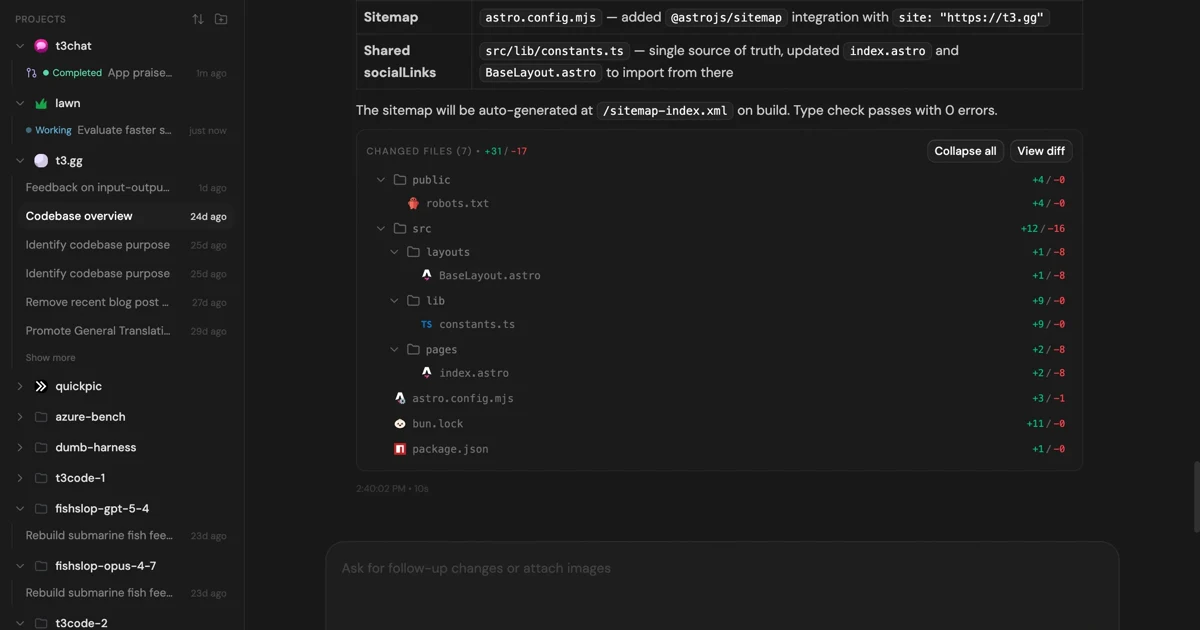
MIT-licensed control plane for running Claude Code, Codex, Cursor, Grok, and OpenCode threads from desktop, web, iOS, and Android clients.
Alternative Tools to Consider

Open-source web agent library and cloud platform that gives coding agents real browser automation instead of file-only guessing.

Official open-source Playwright CLI with agent skills for token-efficient browser automation inside coding-agent workflows.
Do one more comparison before you commit to Libretto
Strong picks usually survive one more internal check. Read deeper, compare a neighbor, then leave for the vendor page if the fit still holds.