
Aider
Open-source terminal coding agent with git-native edits, repo mapping, and broad model support
Do not bounce yet
Read the fit check, compare one alternative, then decide whether the vendor page is still your best next click.
Quick Verdict
Fast fit check before you leave the page
Make the fit call first. Vendor pages are good at selling, but they rarely tell you where the product is a bad match.
- Terminal-first developers who want repo-aware AI help without committing to one closed vendor
- Engineers comparing Aider with Claude Code, OpenCode, Cline, or Gemini CLI
- Cost-sensitive teams that want provider flexibility plus auditable git workflows
- It is still more setup-heavy than closed products that bundle authentication, hosting, and opinionated defaults
- Terminal-first UX plus API-key management is a worse fit for developers who just want a polished IDE-native assistant
- Broad model support is a double-edged sword because quality, latency, and cost vary a lot depending on what backend you connect
Compare Next
Take one more internal step before the vendor pitch
This is where visitors usually jump out too early. Read one deeper take or open one alternative so the next click is informed instead of impulsive.
Related article
Aider Review 2026: Is This Open-Source Terminal Coding Agent Still Worth Using?
A practical Aider review for developers comparing open-source terminal coding agents, git-native edits, model flexibility, pricing reality, and alternatives like Claude Code, OpenCode, Cline, and Gemini CLI.
Alternative profile
Claude Code Router
MIT-licensed local gateway and desktop control plane for routing Claude Code, Codex, Grok CLI, and compatible agents across model providers.
Alternative profile
Claude Code
Anthropic’s agentic coding platform for terminal, IDE, desktop, web, CI, and code-review workflows.
Alternative profile
Claude Code Chat
Source-available VS Code and Cursor interface for Claude Code with checkpoints, inline diffs, history, permissions, and extension marketplaces.
Aider is still one of the clearest answers to a basic 2026 question: if you want an open-source coding agent in the terminal, what actually holds up under daily use? It edits real repositories, keeps git in the workflow, supports a wide range of frontier and local models, and has spent years iterating in public instead of hiding behind launch-week marketing. That does not make it the perfect tool for everyone, but it does make it a serious baseline for evaluating terminal-native coding agents.
Aider is still one of the most credible open-source terminal coding tools because it is built for real repo work instead of chat-window theater. It edits files inside your local git checkout, keeps diffs and commits in the loop, maps large codebases so the model stays oriented, and supports a wide range of frontier and local models rather than trapping you in one vendor stack. For developers who want an inspectable CLI agent with serious day-to-day utility, Aider still belongs in the shortlist with tools like Claude Code, OpenCode, and Cline.
Why Choose Aider?
Aider matters because it is not a throwaway wrapper. The repo, docs, release cadence, and benchmark work all show a project that has survived multiple model cycles.
Git-native editing and commit workflows make it easier to review, diff, and undo AI changes than in many chat-first products.
Broad model support is a practical advantage if you want to compare Claude, OpenAI, Gemini, DeepSeek, or local setups without changing tools.
If you want an open-source terminal agent that still feels current in 2026, Aider remains one of the safest places to start.
Key Features
Terminal-first repo editing that keeps git diffs, commits, and undo-friendly workflows in the loop instead of hiding changes behind a hosted black box
Repository map support that helps the model stay oriented in larger codebases without brute-forcing every file into context
Broad model compatibility across Anthropic, OpenAI, Gemini, DeepSeek, local models, and other OpenAI-compatible backends
Editor-friendly workflows through existing IDEs plus comment-driven interaction, so terminal use does not require abandoning familiar tools
Support for images, web pages, voice input, linting, and test runs to keep implementation grounded in real artifacts and feedback loops
Public leaderboards and benchmark work that help users compare model performance with more rigor than pure anecdote
Pros & Cons
- Aider is battle-tested open-source infrastructure at this point, not a disposable wrapper trying to surf the latest model release
- Git-native behavior makes review, diffing, and rollback much saner than in many chat-first coding tools
- Model and provider flexibility reduce lock-in and make it practical to compare quality, latency, and cost across vendors
- The docs, homepage metrics, releases, and maintainer X posts all point to a tool that is still alive and iterating in public
- It is still more setup-heavy than closed products that bundle authentication, hosting, and opinionated defaults
- Terminal-first UX plus API-key management is a worse fit for developers who just want a polished IDE-native assistant
- Broad model support is a double-edged sword because quality, latency, and cost vary a lot depending on what backend you connect
- Aider's benchmark culture is useful, but some users will over-index on leaderboard scores instead of overall workflow fit
Detailed Use Cases for Aider
Use Aider when you want multi-file edits, commits, and diffs inside a normal local checkout rather than a browser sandbox or a chat transcript.
Aider is useful when a team wants to compare multiple model providers through one stable workflow instead of relearning a new coding tool for each vendor.
Its repo-map approach is valuable once a project grows beyond the point where naive whole-file dumping becomes noisy and wasteful.
Aider belongs on the shortlist when evaluating newer terminal coding agents that promise a lot but have not yet earned the same level of public iteration and operational trust.
Who Should Use Aider?
Terminal-first developers who want repo-aware AI help without committing to one closed vendor
Engineers comparing Aider with Claude Code, OpenCode, Cline, or Gemini CLI
Cost-sensitive teams that want provider flexibility plus auditable git workflows
Maintainers, freelancers, and polyglot developers working across many codebases
Perfect For
Making auditable multi-file edits inside an existing local git repository instead of relying on chat-only suggestions
Working across polyglot or older codebases where repo mapping and provider choice matter more than flashy UI
Comparing open-source CLI agents against Claude Code, OpenCode, Cline, or Gemini CLI
Cost-sensitive workflows where you want to swap models and providers without changing your whole coding environment
Technical Details
Direct Competitors
Claude Code
OpenCode
Cline
Gemini CLI
Similar Tools You Might Like

MIT-licensed local memory server and CLI for carrying coding context, summaries, and handoffs across Claude Code, Codex, Cursor, OpenCode, and other agent clients.
MIT-licensed codebase knowledge graph and MCP server for structural search, natural-language exploration, data-flow tracing, and agent-assisted edits across mixed-language repositories.
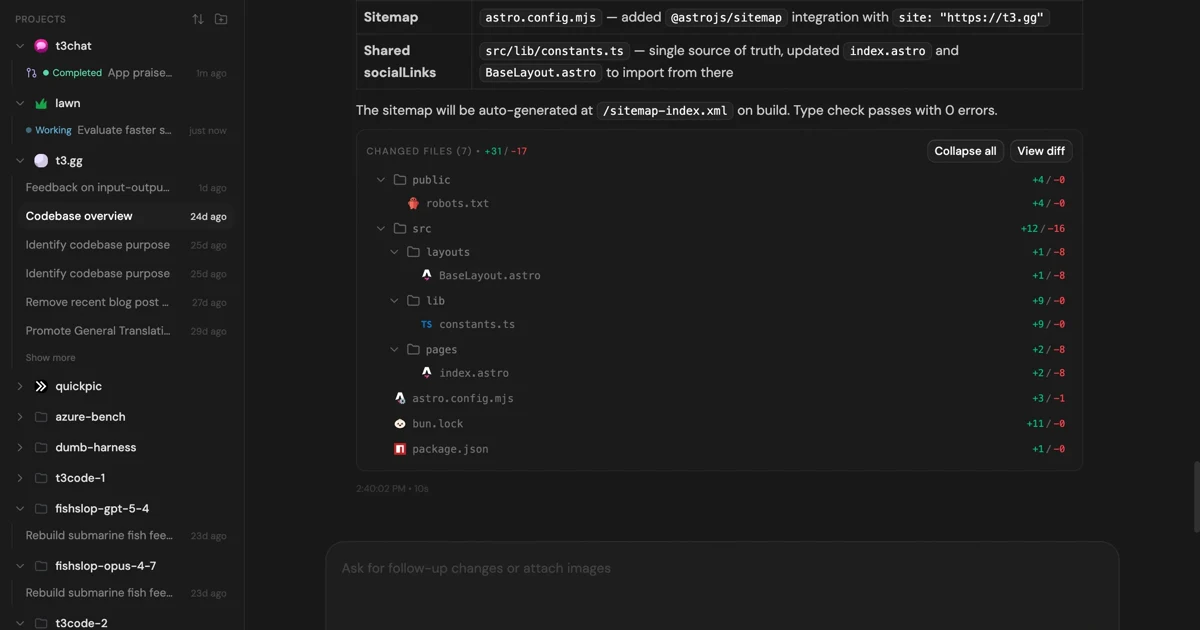
MIT-licensed control plane for running Claude Code, Codex, Cursor, Grok, and OpenCode threads from desktop, web, iOS, and Android clients.
Alternative Tools to Consider

MIT-licensed local gateway and desktop control plane for routing Claude Code, Codex, Grok CLI, and compatible agents across model providers.

Anthropic’s agentic coding platform for terminal, IDE, desktop, web, CI, and code-review workflows.

Source-available VS Code and Cursor interface for Claude Code with checkpoints, inline diffs, history, permissions, and extension marketplaces.

Open-source terminal dashboard for tracking Claude Code token usage, burn rate, and predicted session cutoffs.

Open-source coding agent for VS Code and the terminal with browser automation, MCP extensibility, and human-in-the-loop approvals.

Google's open-source terminal coding agent with Gemini 3 models, MCP extensibility, and strong headless automation workflows.
Do one more comparison before you commit to Aider
Strong picks usually survive one more internal check. Read deeper, compare a neighbor, then leave for the vendor page if the fit still holds.