
mini-swe-agent
Minimal open-source coding agent with a CLI, bash-first control loop, and benchmark-grade SWE-bench performance
Do not bounce yet
Read the fit check, compare one alternative, then decide whether the vendor page is still your best next click.
Quick Verdict
Fast fit check before you leave the page
Make the fit call first. Vendor pages are good at selling, but they rarely tell you where the product is a bad match.
- Developers who want a terminal-native open-source coding agent without a huge framework footprint
- Researchers and benchmark-minded teams comparing model behavior on coding-agent tasks
- Engineers who prefer inspectable bash-centric control flow over opaque hosted automation layers
- This is still a CLI-centric power-user tool, not a polished hosted product for people who want onboarding, guardrails, and zero setup
- The bash-only philosophy is elegant, but it also means some workflows depend more heavily on model quality and prompting discipline than on richer built-in tools
- Its market traction is real but still much smaller than category giants like Aider or OpenHands, so ecosystem depth is correspondingly thinner
Compare Next
Take one more internal step before the vendor pitch
This is where visitors usually jump out too early. Read one deeper take or open one alternative so the next click is informed instead of impulsive.
Related article
mini-swe-agent Review 2026: Minimal Bash-First Coding Agent for SWE-bench and CLI Workflows
A practical mini-swe-agent review covering its bash-first design, SWE-bench positioning, CLI setup, pricing reality, tradeoffs, and alternatives.
Alternative profile
Claude Code Router
MIT-licensed local gateway and desktop control plane for routing Claude Code, Codex, Grok CLI, and compatible agents across model providers.
Alternative profile
Aider
Open-source terminal coding agent with git-native edits, repo mapping, and broad model support
Alternative profile
Claude Code
Anthropic’s agentic coding platform for terminal, IDE, desktop, web, CI, and code-review workflows.
mini-swe-agent matters because it takes the opposite path from most agentic coding launches. Instead of piling on interfaces, tools, and orchestration layers, it asks whether a much smaller bash-first agent can still solve real software tasks. In 2026 that is not just an aesthetic argument: the project is positioned by its own creators as the default choice over full SWE-agent for many users, and it is already being used as both a practical CLI tool and a serious benchmark harness.
mini-swe-agent is one of the more credible 2026 additions in agentic coding because it cuts away a lot of the usual scaffolding instead of adding more theater. Built by the SWE-bench and SWE-agent team, it runs a radically simple bash-first loop that can solve GitHub issues, help inside your command line, and serve as a serious baseline for benchmarking or local automation. If you want a hackable CLI agent with transparent control flow rather than a black-box IDE product, this is a real contender.
Why Choose mini-swe-agent?
mini-swe-agent is unusually clear about what it is optimizing for: simplicity, inspectability, and practical shell-driven execution rather than UI theater.
The official docs explicitly push users toward mini-swe-agent as the default path, which is a stronger product signal than a repo that is merely adjacent to a bigger brand.
It is relevant both for real coding-agent usage and for evaluating model performance on SWE-bench-style tasks, which makes it more durable than a novelty launch.
If you want an open-source CLI agent that is lighter than OpenHands and less workflow-heavy than full SWE-agent, this is one of the sharper options to evaluate.
Key Features
Terminal-first CLI (`mini`) built around a radically simple bash-only agent loop instead of a giant custom tool scaffold or monorepo-heavy control plane
Strong benchmark positioning with the project currently claiming >74% on SWE-bench verified while staying intentionally lightweight and inspectable
Supports local environments plus multiple sandboxing paths including Docker, Podman, Singularity/Apptainer, Bubblewrap, Contree, and related execution setups
Broad model compatibility through LiteLLM plus support paths such as OpenRouter and Portkey, which keeps it from being trapped behind one vendor stack
Includes batch inference workflows, a trajectory browser, and Python bindings instead of stopping at a single interactive CLI surface
Official docs now recommend mini-swe-agent as the default choice over the heavier full SWE-agent for many practical use cases
Pros & Cons
- mini-swe-agent has an actual product point of view: simpler agent scaffold, faster startup, and less ceremony instead of pretending more layers automatically mean more capability
- The bash-first, linear-history design makes the control flow unusually inspectable and hackable compared with many opaque coding agents
- It comes from the team behind SWE-bench and SWE-agent, which gives it far more credibility than random launch-week wrappers claiming to be coding agents
- Flexible sandbox and provider support make it useful both as a practical local CLI tool and as a benchmark or research baseline
- This is still a CLI-centric power-user tool, not a polished hosted product for people who want onboarding, guardrails, and zero setup
- The bash-only philosophy is elegant, but it also means some workflows depend more heavily on model quality and prompting discipline than on richer built-in tools
- Its market traction is real but still much smaller than category giants like Aider or OpenHands, so ecosystem depth is correspondingly thinner
- A lot of the project narrative is benchmark-driven, which is useful but not the same thing as proving fit for every day-to-day engineering workflow
Detailed Use Cases for mini-swe-agent
Use mini-swe-agent when you want a lightweight agent in your own terminal that can inspect repos, run commands, and work through GitHub-style software tasks without a large hosted control plane.
The project is especially relevant if you care about measuring model performance on SWE-bench-style tasks with a simpler, more transparent agent scaffold.
mini-swe-agent is a good fit for teams that want to understand or extend the agent itself rather than merely consuming a closed product surface.
It makes sense when bash is the real tool you want the model to learn to use well, rather than wrapping every action behind custom interfaces and abstractions.
Who Should Use mini-swe-agent?
Developers who want a terminal-native open-source coding agent without a huge framework footprint
Researchers and benchmark-minded teams comparing model behavior on coding-agent tasks
Engineers who prefer inspectable bash-centric control flow over opaque hosted automation layers
Builders comparing mini-swe-agent with SWE-agent, Aider, OpenHands, or Claude Code
Perfect For
Running a lightweight coding agent locally in the terminal to solve GitHub issues, inspect repositories, and execute bash-driven implementation loops
Evaluating frontier or open models on SWE-bench-style workflows without dragging in a huge custom agent framework
Research, fine-tuning, or RL work where a simple and transparent agent scaffold is more useful than a feature-stuffed platform
Teams that want a hackable open-source baseline to compare against Aider, Claude Code, OpenHands, or full SWE-agent
Technical Details
Direct Competitors
SWE-agent
Aider
OpenHands
Claude Code
Similar Tools You Might Like

MIT-licensed local memory server and CLI for carrying coding context, summaries, and handoffs across Claude Code, Codex, Cursor, OpenCode, and other agent clients.
MIT-licensed codebase knowledge graph and MCP server for structural search, natural-language exploration, data-flow tracing, and agent-assisted edits across mixed-language repositories.
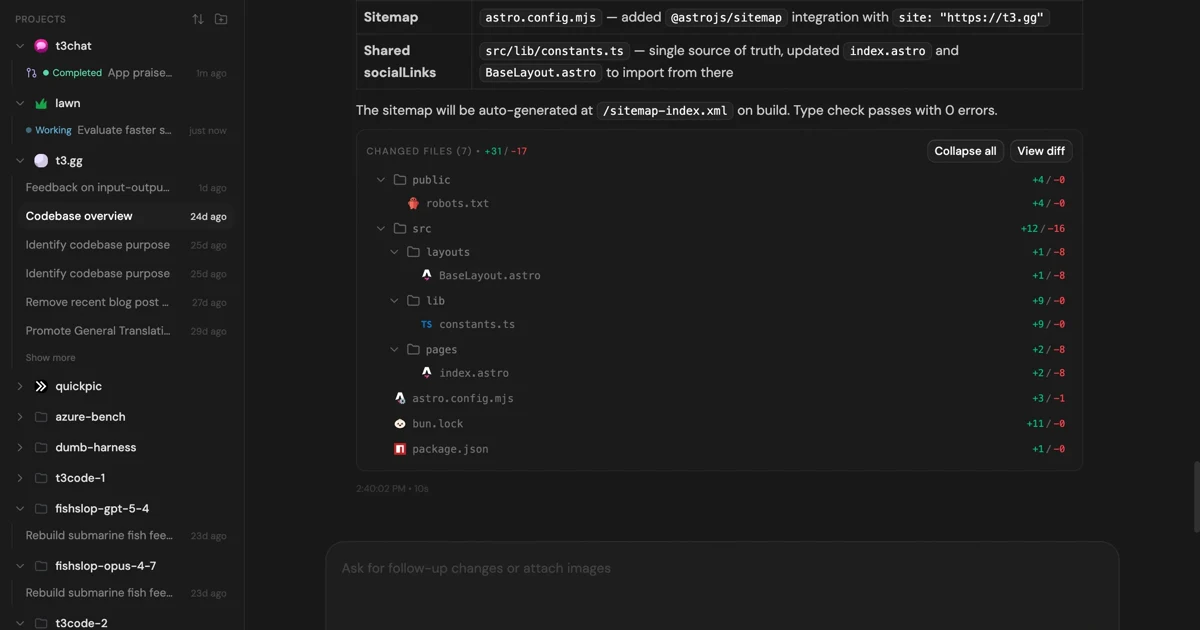
MIT-licensed control plane for running Claude Code, Codex, Cursor, Grok, and OpenCode threads from desktop, web, iOS, and Android clients.
Alternative Tools to Consider

MIT-licensed local gateway and desktop control plane for routing Claude Code, Codex, Grok CLI, and compatible agents across model providers.

Open-source terminal coding agent with git-native edits, repo mapping, and broad model support

Anthropic’s agentic coding platform for terminal, IDE, desktop, web, CI, and code-review workflows.

Source-available VS Code and Cursor interface for Claude Code with checkpoints, inline diffs, history, permissions, and extension marketplaces.

Open-source terminal dashboard for tracking Claude Code token usage, burn rate, and predicted session cutoffs.

Source-available coding agent platform with a web GUI, CLI, and SDK for running autonomous software tasks locally or in the cloud.
Do one more comparison before you commit to mini-swe-agent
Strong picks usually survive one more internal check. Read deeper, compare a neighbor, then leave for the vendor page if the fit still holds.