
Crush
Terminal-native coding agent from Charm with multi-model support, LSP context, MCP and Agent Skills extensibility, and broad cross-platform installs.
Do not bounce yet
Read the fit check, compare one alternative, then decide whether the vendor page is still your best next click.
Quick Verdict
Fast fit check before you leave the page
Make the fit call first. Vendor pages are good at selling, but they rarely tell you where the product is a bad match.
- Developers who prefer terminal-native coding workflows over AI-heavy IDE experiences
- Teams comparing serious Claude Code alternatives with better provider optionality
- Advanced users who want MCP servers, LSP context, and repo-local configuration in one CLI tool
- FSL-1.1-MIT is source-available rather than plain open source today, which matters for teams with strict OSS-only procurement rules
- You still need to bring your own provider credentials or subscriptions, so the software may be free while real usage is not
- Fast-moving products can shift config, supported providers, and workflow details quickly during adoption
Compare Next
Take one more internal step before the vendor pitch
This is where visitors usually jump out too early. Read one deeper take or open one alternative so the next click is informed instead of impulsive.
Related article
Crush Coding Agent Review 2026: CLI, Pricing, Install, and Alternatives
A practical Crush coding agent review covering its terminal workflow, installation, model providers, pricing reality, FSL license, privacy controls, tradeoffs, and alternatives.
Alternative profile
Claude Code Router
MIT-licensed local gateway and desktop control plane for routing Claude Code, Codex, Grok CLI, and compatible agents across model providers.
Alternative profile
Aider
Open-source terminal coding agent with git-native edits, repo mapping, and broad model support
Alternative profile
Claude Code
Anthropic’s agentic coding platform for terminal, IDE, desktop, web, CI, and code-review workflows.
Crush is Charm's terminal coding agent for developers who want multi-provider flexibility, LSP-enhanced context, MCP tools, reusable Agent Skills, and repo-level configuration without moving into an AI-first IDE. It belongs on the same shortlist as Claude Code and OpenCode, but two details deserve scrutiny: model usage is still billed by the provider you connect, and the code uses FSL-1.1-MIT rather than an OSI-approved open-source license today.
Crush is Charm’s terminal-first coding agent for developers who want serious agentic coding workflows without being locked to one model vendor or editor. It supports multiple providers, mid-session model switching, LSP context, MCP servers, reusable Agent Skills, repo-level AGENTS.md initialization, and permission controls. Current releases install through Homebrew, npm, Winget, Scoop, Linux packages, BSD packages, Nix, or Go. The licensing caveat still matters: Crush uses FSL-1.1-MIT rather than an OSI-approved open-source license today.
Why Choose Crush?
Crush stands out because Charm understands terminal product design better than most teams shipping agent tools into the shell.
Provider flexibility gives teams leverage: the best model, cheapest model, and easiest-to-buy model are rarely the same thing for long.
LSP plus MCP makes Crush more extensible and context-aware than many newer coding agents that stop at shell commands and file edits.
If you want a modern terminal-native agent without committing your whole workflow to a single editor vendor, Crush is an obvious tool to evaluate.
Key Features
Terminal-first coding agent from Charm with a polished TUI instead of an editor plugin pretending to be a workflow
Multi-provider model support with the ability to switch providers and models mid-session while preserving context
LSP integration for stronger repo awareness and developer-like context gathering inside the terminal flow
MCP support across stdio, HTTP, and SSE for extending the agent with external tools and services
Agent Skills support for reusable SKILL.md packages, plus project initialization that can generate AGENTS.md or another configurable context file
Install paths across Homebrew, npm, Winget, Scoop, Debian/RPM repositories, Nix, BSD packages, downloadable binaries, and Go
Project-local and global JSON configuration for permissions, provider settings, ignore rules, notifications, and behavior tuning
Cross-platform support across macOS, Linux, Windows, Android, FreeBSD, OpenBSD, and NetBSD
Pseudonymous usage metrics with prompts and responses excluded, plus opt-out support through CRUSH_DISABLE_METRICS or DO_NOT_TRACK
Pros & Cons
- Charm knows terminal UX, and it shows: Crush feels like a real developer tool, not a hacked-on shell wrapper
- Provider flexibility matters because coding model quality, pricing, and availability change too fast to standardize on one vendor forever
- LSP plus MCP gives advanced users a credible path to deeper context and richer toolchains without abandoning the CLI
- The public repo, fast release cadence, and 26k+ star traction make it much easier to trust than most newly launched coding agents
- FSL-1.1-MIT is source-available rather than plain open source today, which matters for teams with strict OSS-only procurement rules
- You still need to bring your own provider credentials or subscriptions, so the software may be free while real usage is not
- Fast-moving products can shift config, supported providers, and workflow details quickly during adoption
- Usage metrics are enabled by default, so privacy-sensitive users should review the documented fields and opt out if needed
- Permission controls are powerful, but teams still need to think carefully before normalizing yolo-style execution habits
Detailed Use Cases for Crush
Crush fits developers who live in shells, tmux, and git-heavy workflows and do not want an IDE to become the mandatory control plane for agentic coding.
Teams can route Crush through different commercial or compatible APIs over time instead of tying their coding workflow to one vendor roadmap.
Crush can connect to MCP servers over stdio, HTTP, or SSE, which gives advanced users a path to richer integrations than basic shell-only agents.
LSP configuration, ignore files, permissions, and project-local settings help Crush adapt to real repositories rather than acting like a stateless demo assistant.
Who Should Use Crush?
Developers who prefer terminal-native coding workflows over AI-heavy IDE experiences
Teams comparing serious Claude Code alternatives with better provider optionality
Advanced users who want MCP servers, LSP context, and repo-local configuration in one CLI tool
Builders who care about inspectable codebases but also need honest licensing distinctions
Developers looking for current Crush install options across Homebrew, npm, Winget, Linux, Nix, BSD, or Go
Perfect For
Terminal-native pair programming and implementation work for developers who prefer shell-first workflows
Model-provider experimentation when teams want to compare Claude, OpenAI, Gemini, Groq, local models, or custom compatible APIs
Project-specific agent setup using local crush.json files, ignore rules, and permissions tuned to a repo
Advanced CLI workflows that benefit from LSP context, MCP extensions, and reusable agent skills
Technical Details
Direct Competitors
Claude Code
OpenCode
Aider
Goose
Similar Tools You Might Like
AI-driven task management layer for Claude Code, Cursor, Codex, Windsurf, Roo, and other coding agents.
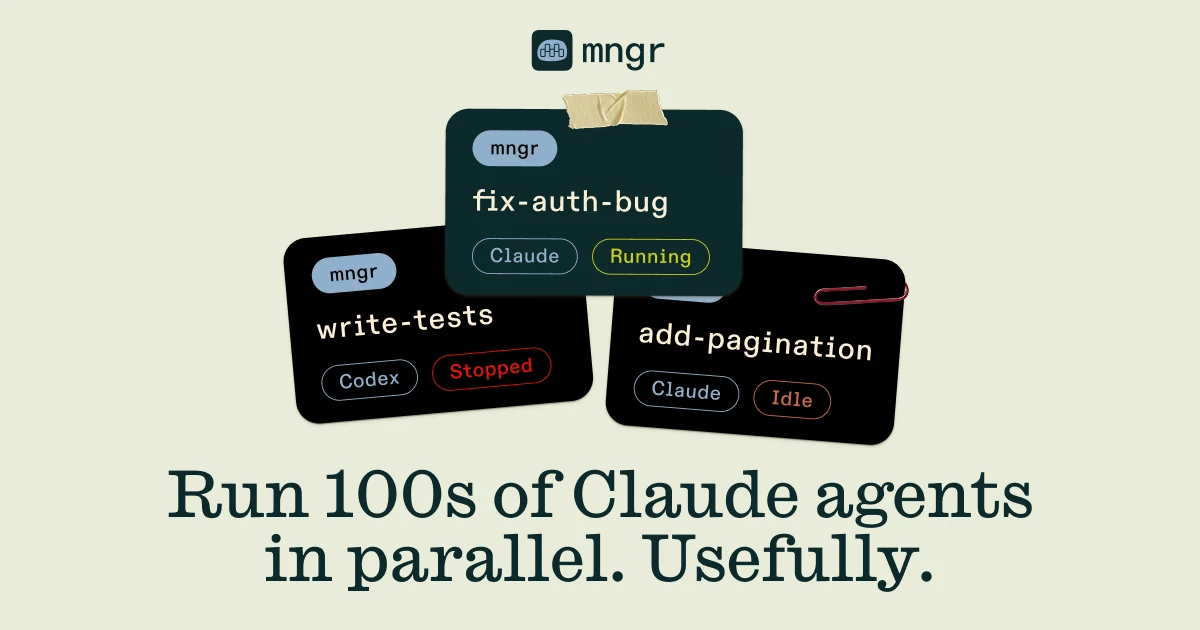
Unix-style CLI for managing coding agents across local machines, containers, remote hosts, and structured execution environments.

MIT-licensed local memory server and CLI for carrying coding context, summaries, and handoffs across Claude Code, Codex, Cursor, OpenCode, and other agent clients.
Alternative Tools to Consider

MIT-licensed local gateway and desktop control plane for routing Claude Code, Codex, Grok CLI, and compatible agents across model providers.

Open-source terminal coding agent with git-native edits, repo mapping, and broad model support

Anthropic’s agentic coding platform for terminal, IDE, desktop, web, CI, and code-review workflows.

Source-available VS Code and Cursor interface for Claude Code with checkpoints, inline diffs, history, permissions, and extension marketplaces.

Open-source terminal dashboard for tracking Claude Code token usage, burn rate, and predicted session cutoffs.

Open-source local AI agent from the Agentic AI Foundation with CLI, desktop, and API workflows plus MCP extensibility.
Do one more comparison before you commit to Crush
Strong picks usually survive one more internal check. Read deeper, compare a neighbor, then leave for the vendor page if the fit still holds.