
Goose
Open-source local AI agent from the Agentic AI Foundation with CLI, desktop, and API workflows plus MCP extensibility.
Do not bounce yet
Read the fit check, compare one alternative, then decide whether the vendor page is still your best next click.
Quick Verdict
Fast fit check before you leave the page
Make the fit call first. Vendor pages are good at selling, but they rarely tell you where the product is a bad match.
- Developers who want an open-source local coding agent instead of a closed IDE-controlled workflow
- Teams experimenting with MCP-based engineering automation and custom internal toolchains
- Engineers who prefer shell-first development but still want an optional desktop onboarding path
- You still need to think carefully about what commands and file access you allow, because local agents can still do dumb or dangerous things fast
- Real usage cost depends on whichever model providers or local inference stack you connect, even if Goose itself is free
- Product messaging spans general automation and engineering tasks, so some teams will need to validate how strongly it fits their exact coding workflow
Compare Next
Take one more internal step before the vendor pitch
This is where visitors usually jump out too early. Read one deeper take or open one alternative so the next click is informed instead of impulsive.
Related article
Goose Review 2026: Open-Source AI Agent for CLI and Desktop
A practical Goose review covering its CLI, desktop app, provider choices, MCP extensions, pricing reality, permission modes, tradeoffs, and alternatives.
Alternative profile
Claude Code Router
MIT-licensed local gateway and desktop control plane for routing Claude Code, Codex, Grok CLI, and compatible agents across model providers.
Alternative profile
Aider
Open-source terminal coding agent with git-native edits, repo mapping, and broad model support
Alternative profile
Claude Code
Anthropic’s agentic coding platform for terminal, IDE, desktop, web, CI, and code-review workflows.
Goose is an open-source local AI agent for developers who want a real execution-oriented assistant instead of another autocomplete layer or chat wrapper. Originally launched by Block and now hosted by the Agentic AI Foundation under the Linux Foundation, it can install, execute, edit, and test across real engineering workflows while offering CLI, desktop, and API surfaces, multiple model-provider paths, and MCP extensibility.
Goose is an open-source local AI agent for developers who want more than autocomplete or a thin shell wrapper. Originally launched by Block and now hosted by the Agentic AI Foundation under the Linux Foundation, it can install dependencies, execute commands, edit code, run tests, and handle broader automation through CLI, desktop, and API surfaces. Provider choice, MCP extensions, recipes, and configurable permission modes make Goose a credible option for teams that want a flexible agent without locking the whole workflow to one model vendor.
Why Choose Goose?
Goose runs locally and is open source, which makes it more inspectable and controllable than many closed coding-agent products.
The product supports both CLI and desktop workflows, so teams are not forced into one interface style just to evaluate the same underlying agent.
MCP extensibility matters because serious agentic coding increasingly depends on tool-rich workflows rather than one isolated model window.
The GitHub traction, HN discussion, and active social/community footprint suggest Goose is a real category player, not throwaway launch theater.
Key Features
Open-source local AI agent designed for install, execute, edit, and test workflows rather than code suggestions alone
Available in both a terminal CLI and a desktop app, which makes it easier to adopt across different developer preferences
MCP-based extensibility so teams can connect Goose to external tools, services, and internal workflows
LLM-agnostic positioning instead of forcing one vendor stack or one hosted runtime
Runs locally, which gives developers more control over execution, context, and operational boundaries
Public docs, active GitHub development, and independent governance through the Agentic AI Foundation under the Linux Foundation
Pros & Cons
- Goose is one of the more credible open-source alternatives in the agentic coding category, not a weekend wrapper with no staying power
- Local execution matters for teams that care about control, inspectability, or privacy-sensitive engineering workflows
- CLI plus desktop coverage broadens adoption without forcing every developer into one interface preference
- MCP extensibility gives advanced teams a realistic path to custom toolchains and richer autonomous workflows
- You still need to think carefully about what commands and file access you allow, because local agents can still do dumb or dangerous things fast
- Real usage cost depends on whichever model providers or local inference stack you connect, even if Goose itself is free
- Product messaging spans general automation and engineering tasks, so some teams will need to validate how strongly it fits their exact coding workflow
- Fast-moving open-source agents can change setup details, extensions, and recommended workflows quickly during adoption
Detailed Use Cases for Goose
Use Goose to edit files, run commands, execute tests, and iterate on engineering tasks locally when you want more than passive code suggestion.
Teams building richer automation can connect Goose to MCP servers and external tools instead of keeping the agent trapped inside a single isolated coding surface.
CLI-heavy developers can stay terminal-first while less shell-native teammates start from the desktop app, which makes Goose easier to trial across mixed teams.
Who Should Use Goose?
Developers who want an open-source local coding agent instead of a closed IDE-controlled workflow
Teams experimenting with MCP-based engineering automation and custom internal toolchains
Engineers who prefer shell-first development but still want an optional desktop onboarding path
Organizations that care about inspectability, control, and reducing dependence on one proprietary coding vendor
Perfect For
Autonomous local coding work such as editing files, running tests, and iterating on repo changes from the terminal
MCP-extended engineering workflows where teams want an agent that can call into external tools and internal systems
Developers who want an open-source alternative to closed coding agents without giving up serious task execution
Mixed desktop and terminal usage where some users prefer a GUI entry point while others stay shell-first
Technical Details
Direct Competitors
Claude Code
OpenCode
Crush
Aider
Similar Tools You Might Like
MIT-licensed local memory server and CLI for carrying coding context, summaries, and handoffs across Claude Code, Codex, Cursor, OpenCode, and other agent clients.
MIT-licensed codebase knowledge graph and MCP server for structural search, natural-language exploration, data-flow tracing, and agent-assisted edits across mixed-language repositories.
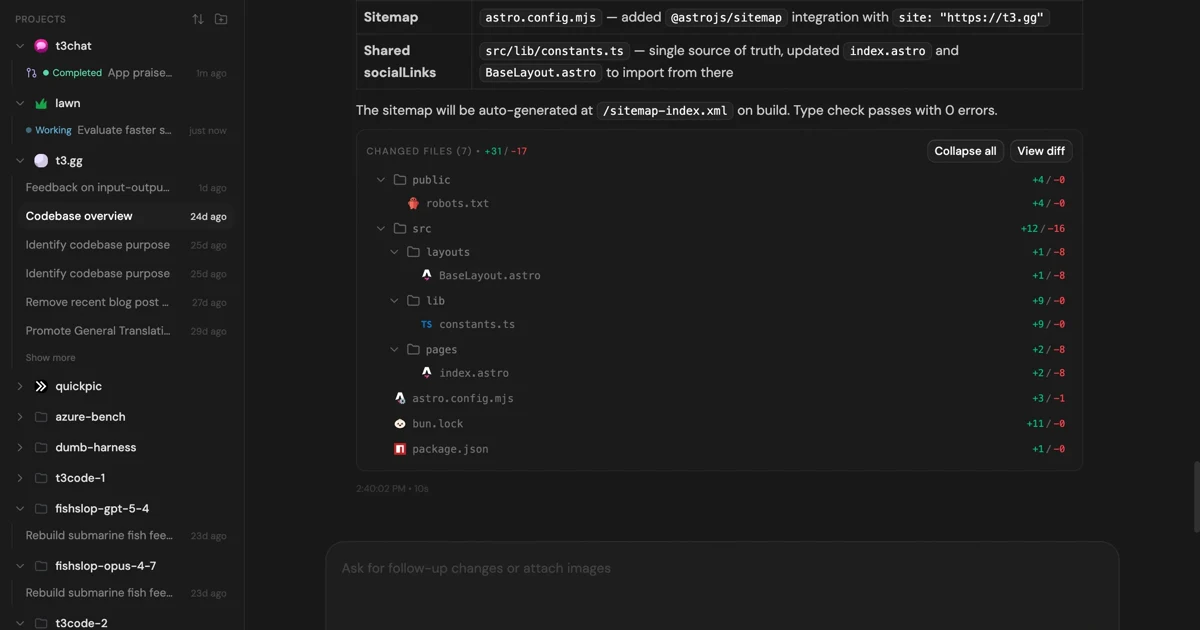
MIT-licensed control plane for running Claude Code, Codex, Cursor, Grok, and OpenCode threads from desktop, web, iOS, and Android clients.
Alternative Tools to Consider

MIT-licensed local gateway and desktop control plane for routing Claude Code, Codex, Grok CLI, and compatible agents across model providers.

Open-source terminal coding agent with git-native edits, repo mapping, and broad model support

Anthropic’s agentic coding platform for terminal, IDE, desktop, web, CI, and code-review workflows.

Source-available VS Code and Cursor interface for Claude Code with checkpoints, inline diffs, history, permissions, and extension marketplaces.

Open-source terminal dashboard for tracking Claude Code token usage, burn rate, and predicted session cutoffs.

Terminal-native coding agent from Charm with multi-model support, LSP context, MCP and Agent Skills extensibility, and broad cross-platform installs.
Do one more comparison before you commit to Goose
Strong picks usually survive one more internal check. Read deeper, compare a neighbor, then leave for the vendor page if the fit still holds.