
Dirac
Open-source coding agent for VS Code and the terminal with hash-anchored edits, AST-aware refactors, and lean context curation.
Do not bounce yet
Read the fit check, compare one alternative, then decide whether the vendor page is still your best next click.
Quick Verdict
Fast fit check before you leave the page
Make the fit call first. Vendor pages are good at selling, but they rarely tell you where the product is a bad match.
- Developers comparing emerging open-source coding agents with Cline, OpenCode, Roo Code, and Claude Code
- Terminal-first engineers who care about repo-scale edits, approvals, and model-cost efficiency
- VS Code users who want an agentic workflow without committing to a closed editor vendor
- Dirac is still early, so benchmark claims and product polish should be read with more skepticism than mature category leaders deserve.
- The official site explicitly says it is a fork of Cline, which means buyers should separate genuine architectural improvements from derivative packaging.
- Provider flexibility is useful, but it also means setup quality depends heavily on how well you configure keys, models, and approval settings.
Compare Next
Take one more internal step before the vendor pitch
This is where visitors usually jump out too early. Read one deeper take or open one alternative so the next click is informed instead of impulsive.
Alternative profile
Claude Code Router
MIT-licensed local gateway and desktop control plane for routing Claude Code, Codex, Grok CLI, and compatible agents across model providers.
Alternative profile
Claude Code
Anthropic’s agentic coding platform for terminal, IDE, desktop, web, CI, and code-review workflows.
Alternative profile
Claude Code Chat
Source-available VS Code and Cursor interface for Claude Code with checkpoints, inline diffs, history, permissions, and extension marketplaces.
Dirac is worth looking at if you are tired of coding-agent hype that ignores the actual pain: bloated context, brittle edits, and too much token burn for too little reliable work. It is an open-source agent that spans VS Code and the terminal, then bets heavily on precise edit mechanics, structural refactors, and tighter context curation.
Dirac is an early but credible open-source coding agent aimed at developers who care more about precise repo work than maximal hype. It spans a VS Code extension and terminal CLI, then layers in hash-anchored edits, AST-native manipulation, multi-file batching, headless-browser tool use, and project-specific skills via AGENTS.md. The caveat is that it is still young, and explicitly forked from Cline, so it belongs in the directory as a serious emerging tool, not as a finished category winner.
Why Choose Dirac?
Choose Dirac if you want a coding agent that is explicitly optimized around precision and token efficiency rather than general-purpose assistant sprawl.
It is more defensible than many launch-week wrappers because there is an actual repo, an actual install path, an actual HN launch, and a concrete product thesis.
The VS Code plus CLI combination makes it relevant to both interactive editor use and terminal-first engineering workflows.
Open-source licensing and AGENTS.md support make it attractive for developers who want local control and project-specific behavior instead of another sealed hosted box.
Key Features
Available as both a VS Code extension and a terminal CLI, so it can fit foreground editor workflows or terminal-first repo work.
Hash-anchored edit engine designed to make file edits more stable than naive line-number or blunt string-replace approaches.
AST-aware structural manipulation and multi-file batching for broader refactors with lower token waste and fewer back-and-forth loops.
Approval-based autonomous tool use spanning file edits, terminal commands, and headless-browser actions instead of chat-only suggestions.
Project-specific behavior through AGENTS.md plus automatic pickup of skill directories such as .ai, .claude, and .agents.
Broad provider setup covering Anthropic, OpenAI, OpenRouter, Gemini, Groq, Mistral, xAI, Bedrock, Vertex AI, and generic OpenAI-compatible endpoints.
Pros & Cons
- Dirac is opinionated about real failure modes in coding agents, including context bloat, fragile edits, and token waste, instead of pretending another chat shell solves them.
- The combination of VS Code surface, CLI workflow, and approval-gated tool use makes it usable for both interactive coding and repo maintenance tasks.
- Public signal is already above the hobby-project threshold thanks to a meaningful HN launch, an official site, and four-digit GitHub stars with fresh activity.
- Open-source Apache-2.0 licensing gives technical teams a much saner trust story than another opaque hosted coding product.
- Dirac is still early, so benchmark claims and product polish should be read with more skepticism than mature category leaders deserve.
- The official site explicitly says it is a fork of Cline, which means buyers should separate genuine architectural improvements from derivative packaging.
- Provider flexibility is useful, but it also means setup quality depends heavily on how well you configure keys, models, and approval settings.
- Like every serious coding agent, it can accelerate bad decisions too; precise edits are not the same thing as sound engineering judgment.
Detailed Use Cases for Dirac
Use Dirac when the job is more than autocomplete and less than full cloud delegation, for example structural edits across many files where brittle search-and-replace usually wastes time.
Its product thesis is explicitly about reducing waste in context and edits, which makes it relevant for developers who actively monitor inference costs instead of pretending they do not matter.
AGENTS.md and local skill pickup make Dirac useful for teams that want repeatable repository instructions without surrendering everything to a hosted workflow engine.
Who Should Use Dirac?
Developers comparing emerging open-source coding agents with Cline, OpenCode, Roo Code, and Claude Code
Terminal-first engineers who care about repo-scale edits, approvals, and model-cost efficiency
VS Code users who want an agentic workflow without committing to a closed editor vendor
Teams experimenting with AGENTS.md-driven agent behavior and local skill conventions
Perfect For
Cost-sensitive terminal or VS Code coding workflows where token efficiency and stable edits matter more than glossy hosted collaboration layers.
Structural refactors across multiple files where line-based search-and-replace is too brittle and chat-only assistants keep losing the thread.
Teams that want project-specific agent behavior through AGENTS.md and local skills without committing to a fully proprietary workspace.
Developers comparing newer open-source coding agents against Cline, OpenCode, Roo Code, or Claude Code for day-to-day repo work.
Technical Details
Direct Competitors
Cline
OpenCode
Roo Code
Claude Code
Similar Tools You Might Like

MIT-licensed local memory server and CLI for carrying coding context, summaries, and handoffs across Claude Code, Codex, Cursor, OpenCode, and other agent clients.
MIT-licensed codebase knowledge graph and MCP server for structural search, natural-language exploration, data-flow tracing, and agent-assisted edits across mixed-language repositories.
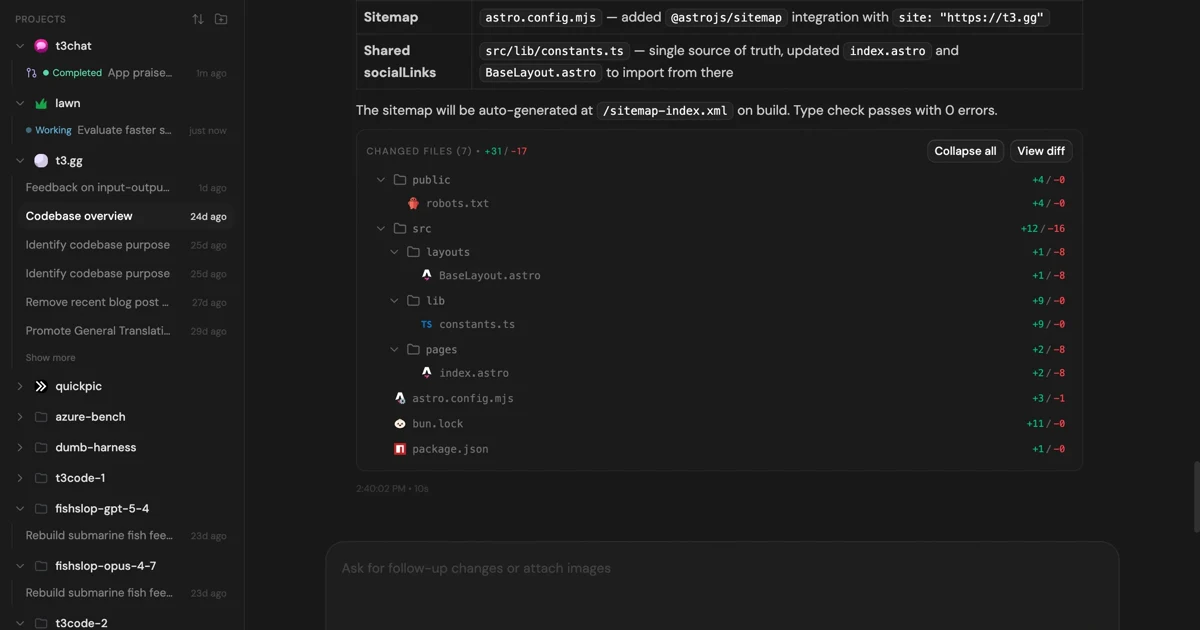
MIT-licensed control plane for running Claude Code, Codex, Cursor, Grok, and OpenCode threads from desktop, web, iOS, and Android clients.
Alternative Tools to Consider

MIT-licensed local gateway and desktop control plane for routing Claude Code, Codex, Grok CLI, and compatible agents across model providers.

Anthropic’s agentic coding platform for terminal, IDE, desktop, web, CI, and code-review workflows.

Source-available VS Code and Cursor interface for Claude Code with checkpoints, inline diffs, history, permissions, and extension marketplaces.

Open-source terminal dashboard for tracking Claude Code token usage, burn rate, and predicted session cutoffs.

Open-source coding agent for VS Code and the terminal with browser automation, MCP extensibility, and human-in-the-loop approvals.

MIT-licensed coding agent with terminal, desktop, web, and IDE clients, plus reusable Agent Skills and provider-agnostic model support.
Do one more comparison before you commit to Dirac
Strong picks usually survive one more internal check. Read deeper, compare a neighbor, then leave for the vendor page if the fit still holds.