
Claurst
Open-source Rust terminal coding agent with multi-provider support, headless mode, plugins, and experimental managed-agent workflows.
Do not bounce yet
Read the fit check, compare one alternative, then decide whether the vendor page is still your best next click.
Quick Verdict
Fast fit check before you leave the page
Make the fit call first. Vendor pages are good at selling, but they rarely tell you where the product is a bad match.
- Terminal-first developers comparing Claurst vs Claude Code, Claurst vs Codex, or Claurst vs OpenCode
- Teams that want a multi-provider coding-agent CLI instead of a single-vendor assistant
- Open-source-minded builders who care about inspectable agent internals and published specs
- It is still a young fast-moving project, so the star count should not be mistaken for enterprise-grade operational maturity.
- The clean-room Claude Code origin is interesting, but it also means buyers should scrutinize long-term differentiation instead of treating it as a wholly original category leader.
- Provider flexibility is useful, but it also adds setup complexity and more room for uneven behavior across backends.
Compare Next
Take one more internal step before the vendor pitch
This is where visitors usually jump out too early. Read one deeper take or open one alternative so the next click is informed instead of impulsive.
Related article
Claurst Review 2026: Rust Terminal Agent, Pricing, GitHub, and Alternatives
A practical Claurst review covering its Rust terminal workflow, Beta status, install paths, provider support, pricing reality, GitHub signal, risks, and alternatives like Claude Code, Codex, Gemini CLI, Aider, and OpenCode.
Alternative profile
Claude Code Router
MIT-licensed local gateway and desktop control plane for routing Claude Code, Codex, Grok CLI, and compatible agents across model providers.
Alternative profile
Aider
Open-source terminal coding agent with git-native edits, repo mapping, and broad model support
Alternative profile
Claude Code
Anthropic’s agentic coding platform for terminal, IDE, desktop, web, CI, and code-review workflows.
Claurst is one of the more interesting open-source terminal coding agents to show up this year because it is not just another thin chat wrapper around shell commands. It started as a clean-room Rust reimplementation of Claude Code behavior, then expanded into a broader multi-provider coding-agent CLI with plugins, memory features, headless runs, and an experimental managed-agent mode.
Claurst is a GPL-3.0 terminal coding agent built in Rust that started as a clean-room reimplementation of Claude Code behavior and then evolved into its own multi-provider CLI. The project ships release binaries for macOS, Windows, and Linux, supports interactive and headless runs via `claurst` and `claurst -p`, and adds plugins, chat forking, memory consolidation, and an experimental managed-agents mode. That makes it materially more interesting than a throwaway fork, but reviewers should still treat it as a young fast-moving project rather than assuming its star and fork counts automatically mean production maturity.
Why Choose Claurst?
Choose Claurst if you want a terminal-native coding agent in Rust rather than another Electron-heavy or browser-dependent workflow.
Choose it if provider flexibility matters, because the project explicitly supports multiple hosted and local model backends instead of one locked-in API path.
Choose it if inspectability matters: the public repo, published spec, release binaries, and active issue/PR flow make it easier to audit than a closed agent product.
Do not choose it blindly if you equate launch traction with maturity; this is still an early fast-moving project and should be tested hard before serious dependency.
Key Features
Rust-built terminal coding agent with downloadable binaries for macOS, Windows, and Linux instead of requiring a browser-first workflow.
Interactive and headless modes via `claurst` and `claurst -p` for local repo work, scripting, and automation.
Multi-provider connection flow covering Anthropic, OpenAI, Google, GitHub Copilot, Ollama, DeepSeek, Groq, Mistral, and many other providers documented in the README.
Project-specific workflow features including chat forking, memory consolidation, and a plugin system rather than only a minimal prompt shell.
Experimental managed-agents mode that adds a manager-executor loop for more structured agentic runs.
Clean-room implementation with published spec and Rust source, which gives technical reviewers more inspectability than a closed terminal agent.
Pros & Cons
- Rust implementation and downloadable binaries make it feel like a real terminal product, not just a concept repo attached to a launch thread.
- Multi-provider support is strategically useful if you do not want your coding-agent workflow locked to one model vendor.
- The project exposes more than a bare CLI loop: plugins, memory handling, chat forking, and managed-agent experiments give it a broader surface area to evaluate.
- Open-source licensing and public development make it easier to inspect and compare against closed coding agents.
- It is still a young fast-moving project, so the star count should not be mistaken for enterprise-grade operational maturity.
- The clean-room Claude Code origin is interesting, but it also means buyers should scrutinize long-term differentiation instead of treating it as a wholly original category leader.
- Provider flexibility is useful, but it also adds setup complexity and more room for uneven behavior across backends.
- Experimental managed-agent functionality sounds promising, but experimental features are exactly where hidden failure modes usually live.
Detailed Use Cases for Claurst
Use Claurst when you want a native-feeling terminal agent with downloadable binaries, repo-aware workflows, and fewer reasons to live in a browser tab.
The provider-connection flow makes Claurst relevant for teams that want to compare Anthropic, OpenAI, Google, Ollama, and other backends behind one CLI surface.
Plugin support, memory consolidation, chat forking, and the experimental managed-agent mode make it useful for evaluating more structured workflows than a single chat loop.
Claurst is worth attention if you want to study a published spec and implementation path for a modern terminal coding agent rather than trusting black-box vendor claims.
Who Should Use Claurst?
Terminal-first developers comparing Claurst vs Claude Code, Claurst vs Codex, or Claurst vs OpenCode
Teams that want a multi-provider coding-agent CLI instead of a single-vendor assistant
Open-source-minded builders who care about inspectable agent internals and published specs
Engineers exploring headless or automation-friendly coding-agent workflows
Perfect For
Developers who want a Rust-based open-source alternative to terminal coding agents like Claude Code, Codex CLI, Gemini CLI, Aider, or OpenCode.
Teams testing multi-provider coding-agent workflows instead of standardizing on one vendor API from day one.
Terminal-first repo work where headless prompting, scripting, or automation matters as much as interactive use.
Tinkerers and technical evaluators who want to inspect a published spec plus implementation rather than accept a closed coding agent on faith.
Technical Details
Direct Competitors
Claude Code
OpenAI Codex
Gemini CLI
Aider
OpenCode
Similar Tools You Might Like

MIT-licensed local memory server and CLI for carrying coding context, summaries, and handoffs across Claude Code, Codex, Cursor, OpenCode, and other agent clients.
MIT-licensed codebase knowledge graph and MCP server for structural search, natural-language exploration, data-flow tracing, and agent-assisted edits across mixed-language repositories.
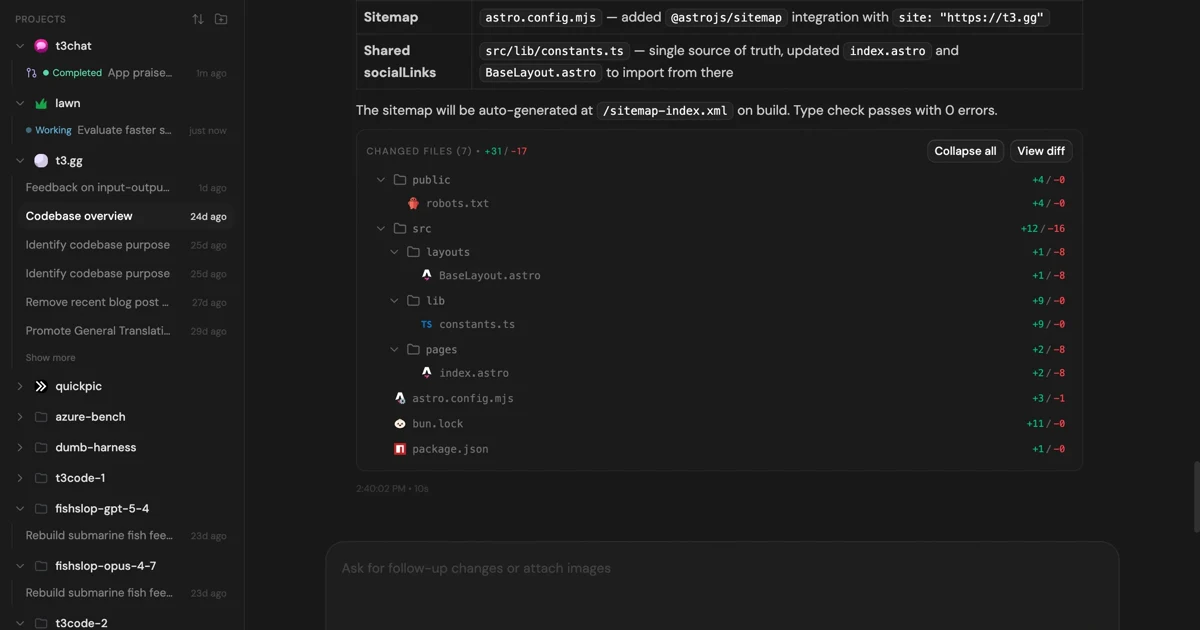
MIT-licensed control plane for running Claude Code, Codex, Cursor, Grok, and OpenCode threads from desktop, web, iOS, and Android clients.
Alternative Tools to Consider

MIT-licensed local gateway and desktop control plane for routing Claude Code, Codex, Grok CLI, and compatible agents across model providers.

Open-source terminal coding agent with git-native edits, repo mapping, and broad model support

Anthropic’s agentic coding platform for terminal, IDE, desktop, web, CI, and code-review workflows.

Source-available VS Code and Cursor interface for Claude Code with checkpoints, inline diffs, history, permissions, and extension marketplaces.

Open-source terminal dashboard for tracking Claude Code token usage, burn rate, and predicted session cutoffs.

Google's open-source terminal coding agent with Gemini 3 models, MCP extensibility, and strong headless automation workflows.
Do one more comparison before you commit to Claurst
Strong picks usually survive one more internal check. Read deeper, compare a neighbor, then leave for the vendor page if the fit still holds.