
Codebuff
Open-source terminal coding agent with a multi-agent architecture, custom agent workflows, and SDK support for repo-aware code generation.
Do not bounce yet
Read the fit check, compare one alternative, then decide whether the vendor page is still your best next click.
Quick Verdict
Fast fit check before you leave the page
Make the fit call first. Vendor pages are good at selling, but they rarely tell you where the product is a bad match.
- Terminal-first developers comparing Codebuff vs Claude Code or Codebuff vs Codex
- Teams exploring multi-agent coding workflows instead of one monolithic assistant session
- Builders who want custom agent definitions or SDK integration instead of chat-only usage
- The strongest performance claims come from Codebuff's own benchmark materials, so you should treat comparison screenshots as evidence to inspect, not gospel.
- The pricing story is not elegantly simple: signup credits, a separate Freebuff variant, paid usage, and subscription messaging can confuse buyers on first read.
- Like other terminal agents, Codebuff still requires disciplined human review; a multi-agent pipeline can produce polished nonsense faster if you supervise badly.
Compare Next
Take one more internal step before the vendor pitch
This is where visitors usually jump out too early. Read one deeper take or open one alternative so the next click is informed instead of impulsive.
Related article
Freebuff Review 2026: Pricing, Privacy, Models, and Alternatives
A practical Freebuff review covering its ad-supported pricing, terminal workflow, current model access, regional limits, privacy caveats, and alternatives.
Alternative profile
Claude Code Router
MIT-licensed local gateway and desktop control plane for routing Claude Code, Codex, Grok CLI, and compatible agents across model providers.
Alternative profile
Claude Code
Anthropic’s agentic coding platform for terminal, IDE, desktop, web, CI, and code-review workflows.
Alternative profile
Claude Code Chat
Source-available VS Code and Cursor interface for Claude Code with checkpoints, inline diffs, history, permissions, and extension marketplaces.
Codebuff is a terminal coding agent that tries to do more than staple a chat box onto shell commands. The interesting part is its explicit multi-agent structure: separate roles for finding files, planning changes, editing code, and reviewing output. That makes it worth evaluating if you want a more programmable CLI agent stack, but it also means you should look past the benchmark marketing and inspect how the workflow, pricing, and real-world review burden actually behave.
Codebuff is more interesting than another chat wrapper in a terminal because the upstream product explicitly splits coding work across cooperating file-picker, planner, editor, and reviewer agents, then exposes that model through both a CLI and an SDK. The repo, docs, pricing, and eval materials make it look like a real product rather than a weekend launcher, and the Freebuff variant lowers the barrier for trying the workflow. The obvious caveat is that Codebuff's headline benchmark claims against Claude Code come from Codebuff's own eval stack, and the pricing story mixes free credits, ad-supported Freebuff, and paid usage, so performance and cost marketing should be read with a skeptical engineer's eye.
Why Choose Codebuff?
Choose Codebuff if you want a terminal-native coding agent with a more explicit multi-agent architecture than the usual single-loop assistant.
Choose it when custom agent workflows and SDK access matter, because the product is not limited to a one-size-fits-all interactive CLI.
Choose it if you value open-source inspectability but still want a polished official product surface with docs, pricing, and evaluation materials.
Do not choose it blindly if you want dead-simple pricing or if you reflexively trust vendor-run benchmarks without checking the methodology.
Key Features
Terminal-native coding agent that edits an existing codebase through natural-language instructions instead of only chat replies.
Multi-agent execution model with separate file-picking, planning, editing, and review roles rather than one monolithic prompt loop.
Custom agent workflow system bootstrapped with /init so teams can define reusable agent behavior inside the repository.
SDK for embedding Codebuff agents into products, automation, or internal tooling instead of stopping at interactive CLI use.
Model flexibility through OpenRouter, which matters if you want cheaper or different model backends than a single-vendor agent allows.
Freebuff variant gives users a lower-friction entry path without forcing a subscription before they can test the workflow.
Pros & Cons
- The multi-agent architecture is strategically more interesting than yet another single-loop shell assistant because it acknowledges that code search, planning, editing, and review are different jobs.
- Codebuff has a real product surface around the CLI: docs, eval methodology, SDK, custom agents, and pricing are all public instead of implied.
- Open-source Apache-2.0 licensing makes the core repo inspectable and easier to trust than a fully closed coding-agent black box.
- Freebuff and signup credits reduce trial friction compared with agents that demand a paid plan before you can meaningfully evaluate them.
- The strongest performance claims come from Codebuff's own benchmark materials, so you should treat comparison screenshots as evidence to inspect, not gospel.
- The pricing story is not elegantly simple: signup credits, a separate Freebuff variant, paid usage, and subscription messaging can confuse buyers on first read.
- Like other terminal agents, Codebuff still requires disciplined human review; a multi-agent pipeline can produce polished nonsense faster if you supervise badly.
- OpenRouter flexibility is useful, but it also adds another dependency and another moving part for teams that want the simplest possible setup.
Detailed Use Cases for Codebuff
Use Codebuff when you want file discovery, planning, editing, and review to behave like explicit stages instead of one opaque prompt-response loop.
The /init flow and custom agent structure are useful when teams want reusable workflows for commits, audits, migrations, or house-style implementation tasks.
The SDK makes Codebuff relevant beyond interactive use, especially for internal tools, CI-like experiments, or developer products that need agent execution as a feature.
Codebuff is worth testing when you want a terminal agent with model flexibility through OpenRouter rather than a workflow tied to one model vendor.
Who Should Use Codebuff?
Terminal-first developers comparing Codebuff vs Claude Code or Codebuff vs Codex
Teams exploring multi-agent coding workflows instead of one monolithic assistant session
Builders who want custom agent definitions or SDK integration instead of chat-only usage
Engineers who care about inspectable open-source repos but still want a real product around them
Perfect For
Terminal-first developers who want repo-aware coding help without moving into a browser-only or IDE-locked product.
Teams experimenting with custom coding-agent workflows that need more structure than a single stock agent prompt.
Builders comparing multi-agent coding systems against Claude Code, Codex, OpenCode, or Cline for day-to-day implementation work.
Products or internal tools that want to embed coding-agent execution through an SDK instead of treating the agent as a human-only interface.
Technical Details
Direct Competitors
Claude Code
Codex
OpenCode
Cline
Similar Tools You Might Like
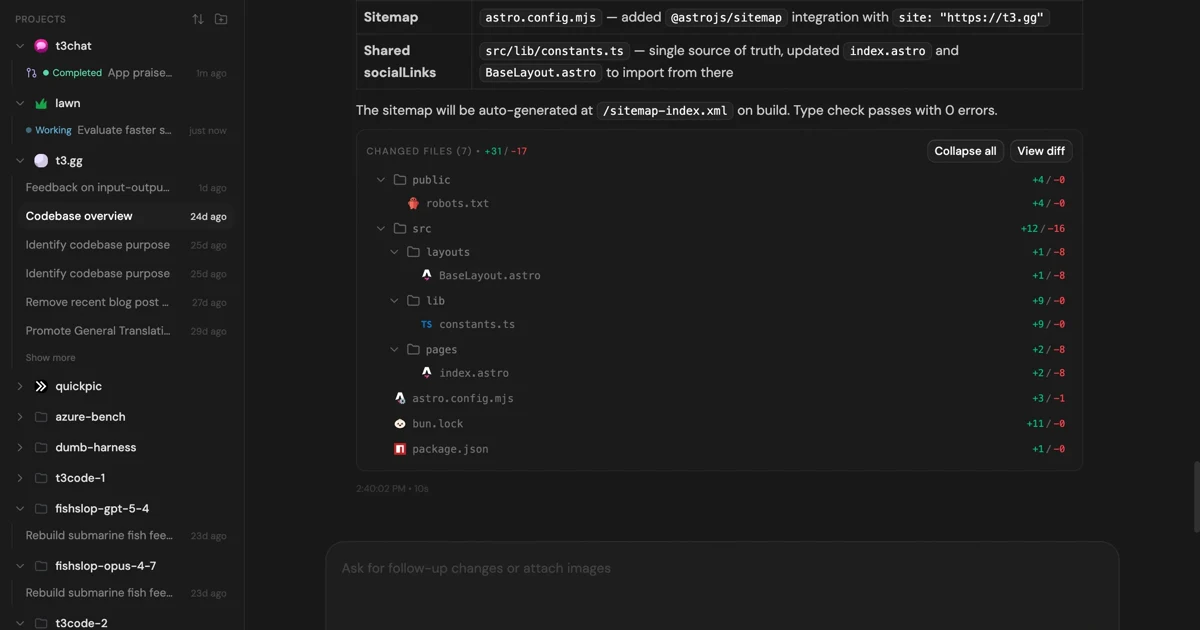
MIT-licensed control plane for running Claude Code, Codex, Cursor, Grok, and OpenCode threads from desktop, web, iOS, and Android clients.

MIT-licensed local memory server and CLI for carrying coding context, summaries, and handoffs across Claude Code, Codex, Cursor, OpenCode, and other agent clients.
MIT-licensed codebase knowledge graph and MCP server for structural search, natural-language exploration, data-flow tracing, and agent-assisted edits across mixed-language repositories.
Alternative Tools to Consider

MIT-licensed local gateway and desktop control plane for routing Claude Code, Codex, Grok CLI, and compatible agents across model providers.

Anthropic’s agentic coding platform for terminal, IDE, desktop, web, CI, and code-review workflows.

Source-available VS Code and Cursor interface for Claude Code with checkpoints, inline diffs, history, permissions, and extension marketplaces.

Open-source terminal dashboard for tracking Claude Code token usage, burn rate, and predicted session cutoffs.

Open-source coding agent for VS Code and the terminal with browser automation, MCP extensibility, and human-in-the-loop approvals.

Open-source orchestration layer for OpenAI Codex CLI with reusable skills, team worktrees, hooks, and persistent workflow state.
Do one more comparison before you commit to Codebuff
Strong picks usually survive one more internal check. Read deeper, compare a neighbor, then leave for the vendor page if the fit still holds.