
oh-my-codex
Open-source orchestration layer for OpenAI Codex CLI with reusable skills, team worktrees, hooks, and persistent workflow state.
Do not bounce yet
Read the fit check, compare one alternative, then decide whether the vendor page is still your best next click.
Quick Verdict
Fast fit check before you leave the page
Make the fit call first. Vendor pages are good at selling, but they rarely tell you where the product is a bad match.
- Existing OpenAI Codex CLI users who want more structure than raw terminal sessions
- Terminal-first developers building repeatable agent workflows around real repositories
- Power users experimenting with parallel agent execution, worktrees, and durable task state
- Value is concentrated among existing Codex CLI users, so it is the wrong product if you do not already want Codex in your stack
- The surface area is large and some naming is idiosyncratic, which can feel overbuilt for simple one-shot tasks
- More workflow power means more setup and more chances to misuse automation if your review discipline is weak
Compare Next
Take one more internal step before the vendor pitch
This is where visitors usually jump out too early. Read one deeper take or open one alternative so the next click is informed instead of impulsive.
Related article
oh-my-codex Review 2026: Official Links, Pricing, Codex CLI Workflow, and Alternatives
A practical oh-my-codex review covering official install links, Codex CLI requirements, workflow features, team worktrees, pricing reality, risks, and alternatives.
Alternative profile
Claude Code Router
MIT-licensed local gateway and desktop control plane for routing Claude Code, Codex, Grok CLI, and compatible agents across model providers.
Alternative profile
Claude Code
Anthropic’s agentic coding platform for terminal, IDE, desktop, web, CI, and code-review workflows.
Alternative profile
Claude Code Chat
Source-available VS Code and Cursor interface for Claude Code with checkpoints, inline diffs, history, permissions, and extension marketplaces.
oh-my-codex is not another standalone coding agent pretending to replace everything. It is a serious workflow layer around OpenAI Codex CLI for people who already like terminal-native agentic coding but want better structure, repeatability, and operational control. The product matters because it turns raw Codex sessions into reusable workflows with team execution, persistent state, and explicit orchestration surfaces instead of leaving power users to improvise the same patterns forever.
oh-my-codex (OMX) is a workflow and orchestration layer for OpenAI Codex CLI, built for developers who already like terminal-native agentic coding but want more structure than raw Codex sessions. It keeps Codex as the execution engine, then adds reusable skills, staged planning and execution flows, isolated team worktrees, hooks, logging, and persistent .omx state plus memory and context servers. That makes it materially more useful than a prompt-pack gimmick: power users can standardize repeatable coding workflows without abandoning the open-source Codex CLI underneath.
Why Choose oh-my-codex?
Raw Codex sessions are fine for short tasks, but they get messy fast once work becomes multi-step, parallel, or long-running. oh-my-codex gives those users reusable workflow primitives instead of another vague prompt collection.
The worktree-first team runtime is a real differentiator because it tackles coordination and merge risk directly, which is where many agent demos quietly fall apart.
Persistent .omx state, hooks, and operator surfaces make it a stronger fit for serious repository work than products that stop at a prettier chat interface.
GitHub, npm, and X signals are already strong enough to treat OMX as a meaningful Codex ecosystem tool rather than disposable launch noise.
Key Features
Workflow and orchestration layer built on top of OpenAI Codex CLI rather than a replacement editor or hosted IDE
Canonical skills such as $deep-interview, $ralplan, $team, and $ralph for repeatable clarification, planning, execution, and completion loops
Team runtime with isolated git worktrees, parallel workers, and incremental merge tracking for conflict-resistant multi-agent execution
omx exec, hooks, and structured logging so shell tasks run through a reusable orchestration surface instead of ad hoc terminal glue
Persistent .omx state for plans, logs, memory, and runtime metadata plus bundled memory and context server workflows
Published docs and integration paths for OpenClaw notifications as well as Discord and Telegram workflow handoff
Pros & Cons
- One of the few Codex-adjacent tools that actually adds workflow leverage instead of cosmetic prompt seasoning
- Worktree-first team orchestration solves a real pain once agent tasks become parallel, long-running, or merge-prone
- Open-source MIT distribution keeps the stack inspectable, hackable, and less fragile than a closed hosted wrapper
- Release cadence and public traction are strong enough to suggest real user pull instead of launch-week theater
- Value is concentrated among existing Codex CLI users, so it is the wrong product if you do not already want Codex in your stack
- The surface area is large and some naming is idiosyncratic, which can feel overbuilt for simple one-shot tasks
- More workflow power means more setup and more chances to misuse automation if your review discipline is weak
- Some flagship team features depend on tmux or psmux style runtime setup rather than magical zero-config behavior
Detailed Use Cases for oh-my-codex
Use oh-my-codex when plain Codex prompts are no longer enough and you want explicit clarification, planning, execution, and completion loops that can be reused across tasks.
The team runtime is useful for larger tasks where multiple workers need to operate in parallel without stomping on the same branch or losing track of integration state.
Because OMX keeps plans, logs, memory, and runtime data under .omx, it fits developers who want longer-lived task structure instead of disposable one-shot sessions.
Teams using OpenClaw or chat-based notification flows can use oh-my-codex to connect Codex-centric work back into Discord, Telegram, and related delivery surfaces.
Who Should Use oh-my-codex?
Existing OpenAI Codex CLI users who want more structure than raw terminal sessions
Terminal-first developers building repeatable agent workflows around real repositories
Power users experimenting with parallel agent execution, worktrees, and durable task state
Builders comparing oh-my-codex against raw Codex, SuperClaude, Claude Code, or provider-agnostic terminal agents
Perfect For
Upgrading plain Codex CLI sessions with reusable clarification, planning, execution, and verification workflows
Running parallel coding tasks in isolated git worktrees instead of manually juggling branches and merge conflicts
Keeping durable task memory, plans, logs, and runtime state across multi-step engineering work
Wiring Codex-centric agent workflows into notification and chat tooling through OpenClaw, Discord, or Telegram integrations
Technical Details
Direct Competitors
OpenAI Codex
SuperClaude
Claude Code
OpenCode
Similar Tools You Might Like
MIT-licensed local memory server and CLI for carrying coding context, summaries, and handoffs across Claude Code, Codex, Cursor, OpenCode, and other agent clients.
MIT-licensed codebase knowledge graph and MCP server for structural search, natural-language exploration, data-flow tracing, and agent-assisted edits across mixed-language repositories.
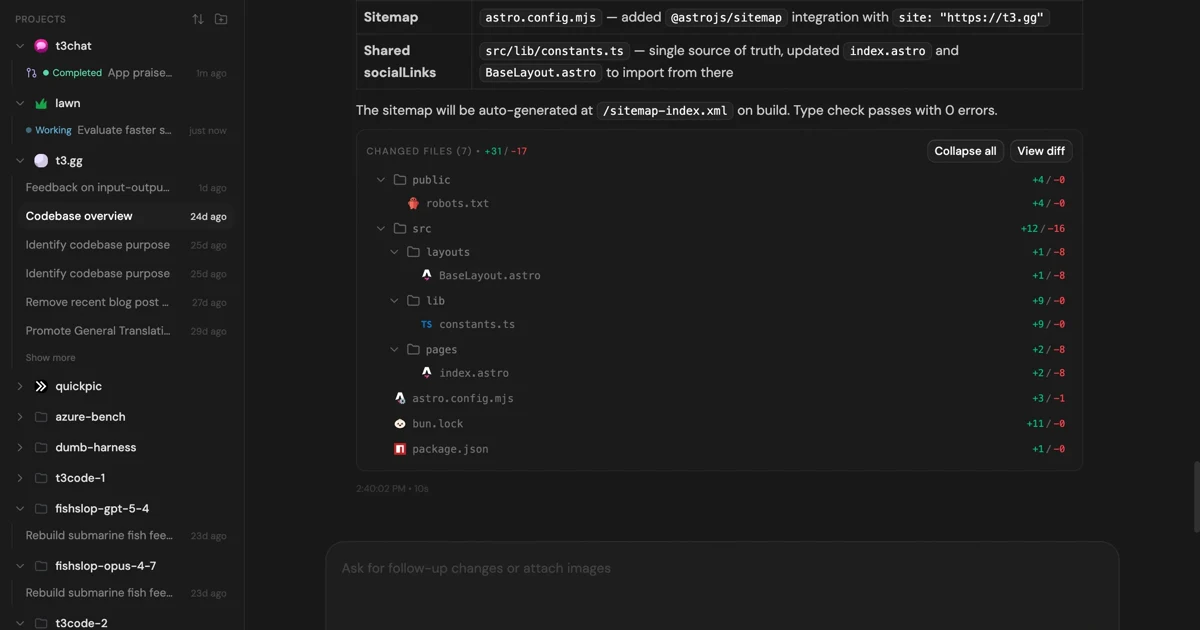
MIT-licensed control plane for running Claude Code, Codex, Cursor, Grok, and OpenCode threads from desktop, web, iOS, and Android clients.
Alternative Tools to Consider

MIT-licensed local gateway and desktop control plane for routing Claude Code, Codex, Grok CLI, and compatible agents across model providers.

Anthropic’s agentic coding platform for terminal, IDE, desktop, web, CI, and code-review workflows.

Source-available VS Code and Cursor interface for Claude Code with checkpoints, inline diffs, history, permissions, and extension marketplaces.

Open-source terminal dashboard for tracking Claude Code token usage, burn rate, and predicted session cutoffs.

OpenAI's open-source agent harness for terminal coding, SDK automation, app-server integrations, IDE work, and cloud-assisted workflows.

MIT-licensed coding agent with terminal, desktop, web, and IDE clients, plus reusable Agent Skills and provider-agnostic model support.
Do one more comparison before you commit to oh-my-codex
Strong picks usually survive one more internal check. Read deeper, compare a neighbor, then leave for the vendor page if the fit still holds.