
OpenAI Codex
OpenAI's open-source agent harness for terminal coding, SDK automation, app-server integrations, IDE work, and cloud-assisted workflows.
Do not bounce yet
Read the fit check, compare one alternative, then decide whether the vendor page is still your best next click.
Quick Verdict
Fast fit check before you leave the page
Make the fit call first. Vendor pages are good at selling, but they rarely tell you where the product is a bad match.
- Developers who want an inspectable terminal coding agent.
- Teams scripting coding and review workflows through codex exec or the official SDK.
- Product engineers embedding an agent loop through Codex app-server.
- Plan entitlements, shared usage windows, credits, and API token billing still make cost less predictable than a single unlimited developer seat.
- API-key-only access does not include cloud features such as GitHub code review or Slack integration.
- The open-source harness does not make the hosted models or managed services open source.
Compare Next
Take one more internal step before the vendor pitch
This is where visitors usually jump out too early. Read one deeper take or open one alternative so the next click is informed instead of impulsive.
Related article
OpenAI Codex: From CLI Tool to Full-Surface Coding Agent
OpenAI Codex now spans the CLI, SDK, app-server, IDE, cloud review, and embedded agent workflows—with real pricing and approval tradeoffs.
Alternative profile
Claude Code Router
MIT-licensed local gateway and desktop control plane for routing Claude Code, Codex, Grok CLI, and compatible agents across model providers.
Alternative profile
Claude Code
Anthropic’s agentic coding platform for terminal, IDE, desktop, web, CI, and code-review workflows.
Alternative profile
Claude Code Chat
Source-available VS Code and Cursor interface for Claude Code with checkpoints, inline diffs, history, permissions, and extension marketplaces.
OpenAI Codex is no longer only a coding CLI. Its open-source harness now supports interactive terminal work, headless execution, an official SDK, and an app-server protocol for embedding stateful agent loops into purpose-built software. The important 2026 question is how those integration layers, pricing limits, approval boundaries, and managed cloud features fit a real engineering workflow.
OpenAI Codex is now both a coding product and an inspectable agent platform. Developers can use the open-source CLI for repository work, call codex exec or the official SDK from automation, or embed the local app-server protocol into purpose-built software that streams events, exposes tools, manages threads, and routes approval requests. The same ecosystem also spans ChatGPT, IDE extensions, cloud code review, and background engineering tasks. This makes Codex relevant to vibe-coding teams that want an OpenAI-native coding agent, and to product teams that want a reusable agent loop without building conversation state, sandboxing, tool execution, and approval handling from scratch.
Why Choose OpenAI Codex?
Codex exposes a reusable open-source agent harness rather than only a fixed chat or editor interface.
Teams can start with the CLI, automate through codex exec or the SDK, and move to app-server when they need direct lifecycle and UI control.
The harness handles conversation state, streamed execution, tools, sandboxing, and approval requests while the surrounding application keeps ownership of business context and consent.
ChatGPT, IDE, cloud-review, and background-task surfaces provide a broader workflow than a terminal-only agent.
For OpenAI-standardized teams, Codex is the most direct route from interactive coding to embedded agent workflows.
Key Features
Open-source terminal CLI for repo-aware edits, command execution, and natural-language task loops.
Headless codex exec mode and an official SDK for scripted, CI, and application workflows.
App-server protocol for product integrations that need threads, streamed events, tool exposure, interruption, and approval handling.
Configurable sandbox and approval policies around local tool execution.
Broader product access through ChatGPT, IDE extensions, cloud code review, and background engineering tasks.
MCP integration for application-owned data and actions while the surrounding product retains its own consent and business controls.
Pros & Cons
- The open harness exposes more of the agent runtime than a sealed coding assistant, including state, tools, sandboxing, streaming, and approvals.
- CLI, exec, SDK, and app-server layers let teams choose between interactive coding, automation, and embedded product integration.
- Very active development and frequent stable releases make the implementation easier to inspect than many proprietary coding agents.
- The same ecosystem covers local repository work, IDE use, cloud review, and background tasks.
- Natural fit for teams already using ChatGPT or OpenAI APIs.
- Plan entitlements, shared usage windows, credits, and API token billing still make cost less predictable than a single unlimited developer seat.
- API-key-only access does not include cloud features such as GitHub code review or Slack integration.
- The open-source harness does not make the hosted models or managed services open source.
- Embedding app-server creates an approval and security boundary that the surrounding application must design carefully.
- Agent output still requires review, testing, and human judgment before shipping.
Detailed Use Cases for OpenAI Codex
Use Codex close to the shell for multi-file implementation, debugging, refactoring, commands, and validation loops.
Run bounded workflows from scripts and CI without recreating the Codex agent loop or terminal interface.
Build a task-specific product that keeps threads open, streams events, exposes tools, handles interruptions, and presents approval requests.
Eligible ChatGPT plans add managed cloud features that are separate from API-key-only CLI and SDK access.
Connect application-owned context and actions while keeping consequential writes behind the surrounding product’s consent controls.
Who Should Use OpenAI Codex?
Developers who want an inspectable terminal coding agent.
Teams scripting coding and review workflows through codex exec or the official SDK.
Product engineers embedding an agent loop through Codex app-server.
Organizations that need explicit tool, sandbox, and approval boundaries.
OpenAI users comparing Codex with Claude Code, Gemini CLI, Cursor, and GitHub Copilot.
Perfect For
Terminal-first debugging, refactoring, implementation, and repository exploration.
CI and scripted automation through codex exec or the official SDK.
Embedding an agent loop into engineering, operations, security, or support software through app-server.
Pull-request review and cloud-assisted background engineering tasks.
Building MCP-backed workflows where consequential actions require application-owned approval.
Technical Details
Direct Competitors
Claude Code
Gemini CLI
GitHub Copilot
Cursor
Similar Tools You Might Like

MIT-licensed local memory server and CLI for carrying coding context, summaries, and handoffs across Claude Code, Codex, Cursor, OpenCode, and other agent clients.
MIT-licensed codebase knowledge graph and MCP server for structural search, natural-language exploration, data-flow tracing, and agent-assisted edits across mixed-language repositories.
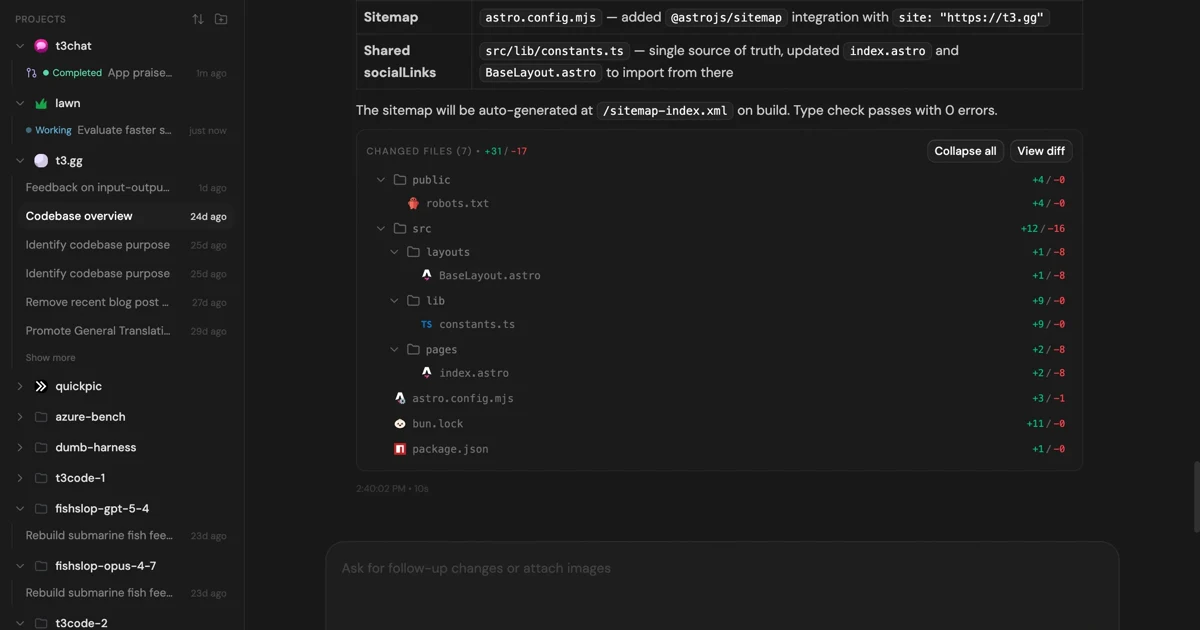
MIT-licensed control plane for running Claude Code, Codex, Cursor, Grok, and OpenCode threads from desktop, web, iOS, and Android clients.
Alternative Tools to Consider

MIT-licensed local gateway and desktop control plane for routing Claude Code, Codex, Grok CLI, and compatible agents across model providers.

Anthropic’s agentic coding platform for terminal, IDE, desktop, web, CI, and code-review workflows.

Source-available VS Code and Cursor interface for Claude Code with checkpoints, inline diffs, history, permissions, and extension marketplaces.

Open-source terminal dashboard for tracking Claude Code token usage, burn rate, and predicted session cutoffs.

AI code editor with local, cloud, CLI, and mobile coding agents

Google's open-source terminal coding agent with Gemini 3 models, MCP extensibility, and strong headless automation workflows.
Do one more comparison before you commit to OpenAI Codex
Strong picks usually survive one more internal check. Read deeper, compare a neighbor, then leave for the vendor page if the fit still holds.