
VT Code
Open-source Rust TUI coding agent with semantic code understanding, multi-provider support, and serious shell safety controls.
Do not bounce yet
Read the fit check, compare one alternative, then decide whether the vendor page is still your best next click.
Quick Verdict
Fast fit check before you leave the page
Make the fit call first. Vendor pages are good at selling, but they rarely tell you where the product is a bad match.
- Terminal-first developers who want an open-source coding agent with richer UX and extensibility than a minimal CLI loop.
- Teams comparing VT Code with OpenCode, Aider, Goose, or Claude Code for local agentic coding workflows.
- Builders who care about MCP, Agent Skills, ACP, or multi-agent interoperability instead of one closed product surface.
- It is still an early-stage project, so configuration details, protocol coverage, and UX conventions may keep changing quickly.
- The richer TUI and protocol surface can feel heavier than minimalist tools if you just want a dead-simple prompt-edit loop.
- Real quality still depends on the provider and model you connect, so setup and cost discipline remain your problem.
Compare Next
Take one more internal step before the vendor pitch
This is where visitors usually jump out too early. Read one deeper take or open one alternative so the next click is informed instead of impulsive.
Alternative profile
Claude Code Router
MIT-licensed local gateway and desktop control plane for routing Claude Code, Codex, Grok CLI, and compatible agents across model providers.
Alternative profile
Aider
Open-source terminal coding agent with git-native edits, repo mapping, and broad model support
Alternative profile
Claude Code
Anthropic’s agentic coding platform for terminal, IDE, desktop, web, CI, and code-review workflows.
VT Code is an open-source terminal coding agent for developers who want a more ambitious CLI workflow than simple prompt-and-patch tools. It combines a Rust TUI, semantic repo understanding, multi-provider model support, and a protocol-heavy integration story spanning Agent Skills, MCP, and ACP. That mix makes it relevant for builders who care about local control, extensibility, and serious agent workflows rather than just autocomplete theater.
VT Code is an open-source terminal coding agent for developers who want a serious local workflow instead of another chat wrapper glued onto an editor. It combines a rich Rust TUI, semantic repo understanding, multi-provider model support, subagents, and protocol-level interoperability through skills, MCP, and ACP. That makes it legitimately relevant to vibe coding for builders who want an inspectable CLI agent with real extensibility and a stronger safety story than most launch-week demos.
Why Choose VT Code?
VT Code is worth considering if you want an open-source terminal agent that is trying to become real infrastructure, not just a thin wrapper around one model API.
Its multi-provider support is strategically useful because the best model, the cheapest model, and the easiest model to access are rarely the same thing for long.
The security posture matters: tool policies, command validation, workspace trust, and human review are a saner story than blindly giving shell access to a launch-week agent.
MCP, Agent Skills, and ACP support make VT Code more interesting for advanced workflows than many terminal agents that stop at plain chat plus file edits.
Key Features
Rust-built terminal UI designed for coding-agent work instead of a thin prompt box pasted into a shell.
Semantic code understanding plus optional ripgrep and ast-grep search tooling for repo navigation and structured exploration.
Broad provider support across OpenAI, Anthropic, Gemini, DeepSeek, OpenRouter, GitHub Copilot, Ollama, and LM Studio.
Security-focused execution model with tool policies, command validation, workspace trust controls, and explicit human-in-the-loop boundaries.
Support for Agent Skills, MCP integration, ACP editor connectivity, and subagent/background helper workflows.
Cross-platform install paths including native installers for macOS/Linux and a PowerShell installer for Windows.
Pros & Cons
- VT Code is a real terminal-native coding agent with a stronger product surface than the usual weekend wrapper project.
- Provider flexibility matters because model quality, pricing, and access constraints change too fast to lock into one backend forever.
- Skills, MCP, and ACP support make it more interesting for advanced agent workflows than a plain single-process CLI.
- The public repo, release cadence, HN launch, and X activity show genuine early traction instead of pure announcement vapor.
- It is still an early-stage project, so configuration details, protocol coverage, and UX conventions may keep changing quickly.
- The richer TUI and protocol surface can feel heavier than minimalist tools if you just want a dead-simple prompt-edit loop.
- Real quality still depends on the provider and model you connect, so setup and cost discipline remain your problem.
- Even with better safety controls than many peers, a local coding agent that can execute commands still deserves careful review.
Detailed Use Cases for VT Code
VT Code fits developers who prefer staying in the terminal but still want richer context handling, protocol support, and repo-aware assistance than barebones shell agents usually provide.
It belongs in the evaluation set when teams are weighing OpenCode, Aider, Goose, and other CLI agents that preserve more local control than closed IDE products.
VT Code is more relevant than simpler CLIs when you care about reusable skills, external tool integrations, or connecting an editor like Zed through ACP.
The product makes sense for developers who want one workflow spanning hosted APIs, GitHub Copilot login, OpenRouter-style routing, and local inference tools such as Ollama or LM Studio.
Who Should Use VT Code?
Terminal-first developers who want an open-source coding agent with richer UX and extensibility than a minimal CLI loop.
Teams comparing VT Code with OpenCode, Aider, Goose, or Claude Code for local agentic coding workflows.
Builders who care about MCP, Agent Skills, ACP, or multi-agent interoperability instead of one closed product surface.
Developers who want to mix hosted providers, GitHub Copilot auth, and local inference backends inside one coding-agent workflow.
Perfect For
Terminal-first coding sessions where developers want repo-aware assistance without moving into a closed IDE silo.
Open-source agent evaluations where teams are comparing VT Code against OpenCode, Aider, Goose, or Claude Code.
Builder workflows that need MCP, Agent Skills, or ACP-compatible editor integrations instead of one isolated interface.
Bring-your-own-model environments spanning hosted APIs, GitHub Copilot auth, and local inference stacks like Ollama or LM Studio.
Technical Details
Direct Competitors
OpenCode
Aider
Claude Code
Goose
Similar Tools You Might Like

MIT-licensed local memory server and CLI for carrying coding context, summaries, and handoffs across Claude Code, Codex, Cursor, OpenCode, and other agent clients.
MIT-licensed codebase knowledge graph and MCP server for structural search, natural-language exploration, data-flow tracing, and agent-assisted edits across mixed-language repositories.
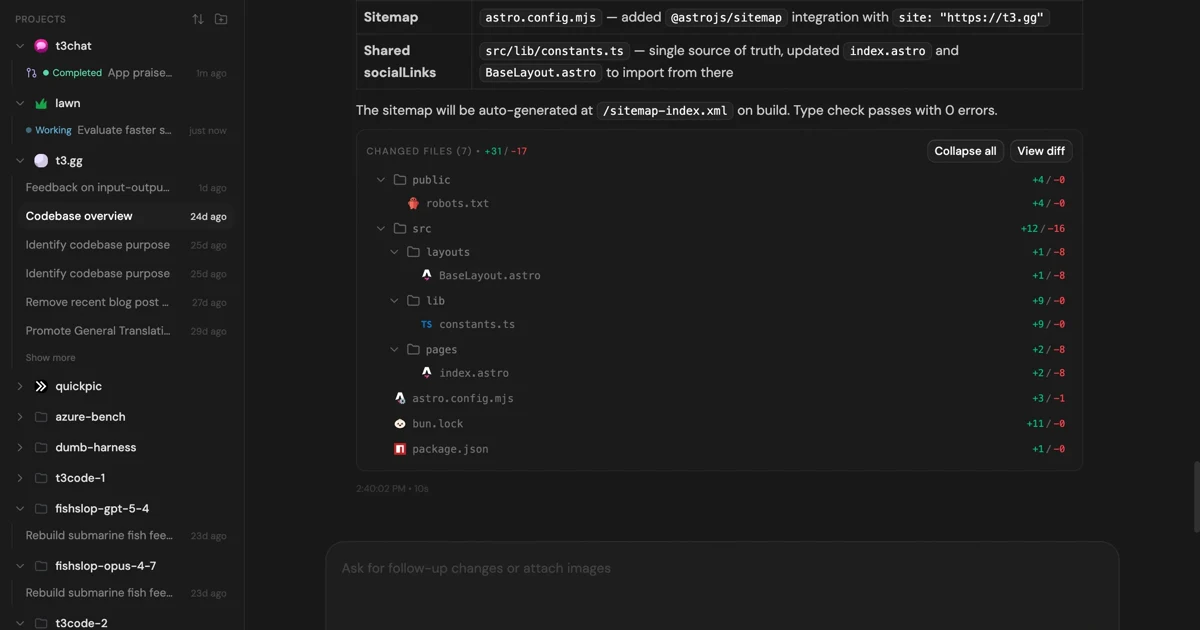
MIT-licensed control plane for running Claude Code, Codex, Cursor, Grok, and OpenCode threads from desktop, web, iOS, and Android clients.
Alternative Tools to Consider

MIT-licensed local gateway and desktop control plane for routing Claude Code, Codex, Grok CLI, and compatible agents across model providers.

Open-source terminal coding agent with git-native edits, repo mapping, and broad model support

Anthropic’s agentic coding platform for terminal, IDE, desktop, web, CI, and code-review workflows.

Source-available VS Code and Cursor interface for Claude Code with checkpoints, inline diffs, history, permissions, and extension marketplaces.

Open-source terminal dashboard for tracking Claude Code token usage, burn rate, and predicted session cutoffs.

Open-source local AI agent from the Agentic AI Foundation with CLI, desktop, and API workflows plus MCP extensibility.
Do one more comparison before you commit to VT Code
Strong picks usually survive one more internal check. Read deeper, compare a neighbor, then leave for the vendor page if the fit still holds.