
Worktrunk
MIT-licensed CLI that makes Git worktrees practical for running and supervising parallel AI coding-agent workflows.
Do not bounce yet
Read the fit check, compare one alternative, then decide whether the vendor page is still your best next click.
Quick Verdict
Fast fit check before you leave the page
Make the fit call first. Vendor pages are good at selling, but they rarely tell you where the product is a bad match.
- Developers already using Claude Code, Codex, or other terminal coding agents
- Builders running several independent repository tasks in parallel
- Teams that prefer local Git primitives over a hosted multi-agent dashboard
- Worktrunk orchestrates worktrees; it does not supply an agent, model, permissions policy, or review guarantee.
- Hooks, shared caches, port templates, and merge automation create configuration complexity that needs repository-specific testing.
- The official quickstart emphasizes macOS and Linux package paths, while Windows and other platforms receive less detailed installation guidance.
Compare Next
Take one more internal step before the vendor pitch
This is where visitors usually jump out too early. Read one deeper take or open one alternative so the next click is informed instead of impulsive.
Alternative profile
Agent Deck
Open-source terminal session manager for running and supervising multiple AI coding agents across isolated git worktrees.
Alternative profile
Agent of Empires
Open-source terminal and web session manager for running multiple AI coding agents across isolated git worktrees and sandboxes.
Alternative profile
Claude Squad
Open-source terminal app for managing multiple AI coding agents like Claude Code, Codex, OpenCode, and Aider across isolated workspaces.
Worktrunk is a local Git workflow layer for developers who have moved beyond one coding-agent session at a time. It makes worktrees feel more like ordinary branches, then adds the operational details parallel vibe coding actually needs: agent launch commands, lifecycle hooks, merge cleanup, per-worktree development-server ports, CI visibility, PR checkout, and optional shared build caches. That focus makes it more defensible than another chat wrapper, but it remains a coordination tool rather than an agent or a correctness guarantee.
Worktrunk is a Rust CLI for developers running multiple coding agents in parallel. It wraps Git worktrees with branch-oriented commands for switching, creating, listing, removing, and merging workspaces, then adds agent-focused workflow features such as launching Claude from a new worktree, lifecycle hooks, per-worktree dev-server ports, shared build caches, PR checkout, CI summaries, and optional LLM-generated commit messages. The result is a local coordination layer for vibe coding: agents get isolated working directories while the human keeps one inspectable Git-native workflow. It does not provide a model or coding agent itself, so upstream agent access, model usage, and the discipline to review each worktree remain separate responsibilities.
Why Choose Worktrunk?
Choose Worktrunk when several coding agents need to work on one repository without colliding in a shared checkout.
Its strongest differentiator is a Git-native workflow: worktrees are addressed by branch, while paths, hooks, status, and cleanup are handled consistently around them.
The advanced commands matter once the workflow becomes real: unique dev-server ports, merge automation, CI summaries, PR checkout, and cache sharing reduce the incidental work around each agent.
Do not treat Worktrunk as a substitute for agent permissions, tests, or human review. It makes parallel execution easier; it does not make generated code trustworthy by itself.
Key Features
Create, switch, list, remove, and merge Git worktrees with branch-oriented commands that avoid repeating raw worktree paths.
Start a coding agent such as Claude in a newly created worktree with one command, while keeping each task isolated from sibling agents.
Run create, pre-merge, post-merge, and other lifecycle hooks for repeatable repository setup and cleanup.
Support parallel-agent operations with per-worktree dev-server ports, PR checkout, CI status, interactive diff and log previews, and optional LLM commit messages.
Share build caches across worktrees on supported filesystems to reduce duplicate dependency and compilation work.
Ship as a Rust CLI with public documentation, releases, and an MIT-licensed repository.
Pros & Cons
- Targets the real coordination bottleneck in multi-agent coding: isolated workspaces and predictable branch operations.
- Git-native and local, so repository state remains inspectable instead of disappearing into a hosted orchestration layer.
- The advanced workflow surface goes beyond a launcher with hooks, merge cleanup, CI visibility, port allocation, and cache sharing.
- Supports multiple upstream agents and GitHub or GitLab-style workflows without locking the team to one model vendor.
- Worktrunk orchestrates worktrees; it does not supply an agent, model, permissions policy, or review guarantee.
- Hooks, shared caches, port templates, and merge automation create configuration complexity that needs repository-specific testing.
- The official quickstart emphasizes macOS and Linux package paths, while Windows and other platforms receive less detailed installation guidance.
- The public evidence is strong for project activity and maintenance but does not establish productivity gains or broad production adoption.
Detailed Use Cases for Worktrunk
Create one Git worktree per task so Claude Code, Codex, or another terminal agent can work independently while the main checkout stays stable.
Use lifecycle hooks and branch-oriented commands to make dependency setup, merge cleanup, and repository conventions consistent across agent tasks.
Inspect worktree status, diffs, CI summaries, PR branches, and generated commit messages without rebuilding the same shell workflow for every task.
Assign unique ports and share supported build caches when multiple worktrees need to run or compile the same project concurrently.
Who Should Use Worktrunk?
Developers already using Claude Code, Codex, or other terminal coding agents
Builders running several independent repository tasks in parallel
Teams that prefer local Git primitives over a hosted multi-agent dashboard
Platform-minded developers willing to standardize hooks, worktree layout, and review conventions
Perfect For
Run several Claude Code, Codex, or other terminal coding agents against one repository without sharing a mutable checkout.
Create a repeatable worktree lifecycle with repository setup hooks, unique development-server ports, and automated cleanup.
Inspect branch status, diffs, CI summaries, and PR branches from one terminal workflow while agents work in parallel.
Standardize a Git-native multi-agent workflow for a local or self-hosted vibe-coding team.
Technical Details
Direct Competitors
Claude Squad
Agent Deck
Agent of Empires
Superset
Similar Tools You Might Like
MIT-licensed local memory server and CLI for carrying coding context, summaries, and handoffs across Claude Code, Codex, Cursor, OpenCode, and other agent clients.
MIT-licensed codebase knowledge graph and MCP server for structural search, natural-language exploration, data-flow tracing, and agent-assisted edits across mixed-language repositories.
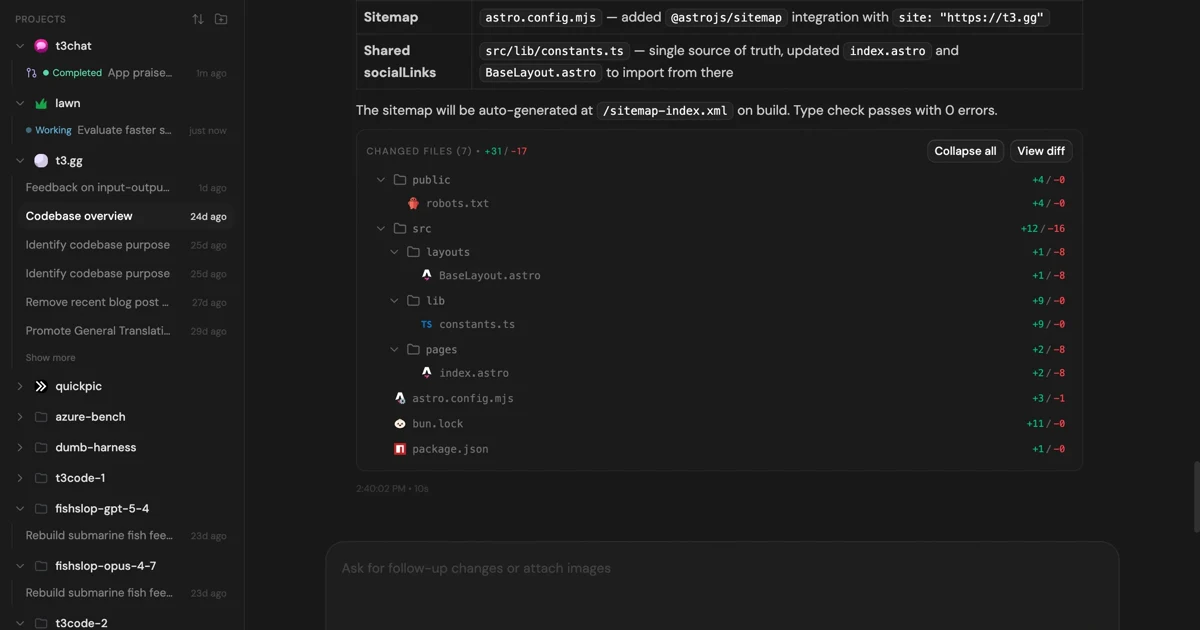
MIT-licensed control plane for running Claude Code, Codex, Cursor, Grok, and OpenCode threads from desktop, web, iOS, and Android clients.
Alternative Tools to Consider

Open-source terminal session manager for running and supervising multiple AI coding agents across isolated git worktrees.

Open-source terminal and web session manager for running multiple AI coding agents across isolated git worktrees and sandboxes.

Open-source terminal app for managing multiple AI coding agents like Claude Code, Codex, OpenCode, and Aider across isolated workspaces.

Minimal terminal coding harness with extensions, skills, tree-structured sessions, and serious multi-provider model support.

Worktree-based macOS editor for running and reviewing multiple CLI coding agents like Claude Code, Codex, Gemini CLI, and OpenCode in parallel.
Do one more comparison before you commit to Worktrunk
Strong picks usually survive one more internal check. Read deeper, compare a neighbor, then leave for the vendor page if the fit still holds.