
Continue
Apache-2.0 coding agent for terminal, VS Code, and JetBrains, now at its final 2.0.0 release after an acquisition.
Do not bounce yet
Read the fit check, compare one alternative, then decide whether the vendor page is still your best next click.
Quick Verdict
Fast fit check before you leave the page
Make the fit call first. Vendor pages are good at selling, but they rarely tell you where the product is a bad match.
- Developers who want a finalized open-source coding agent they can inspect or maintain themselves
- Teams evaluating terminal agents with headless CI and git-hook support
- VS Code or JetBrains users who understand the final-release maintenance risk
- The repository calls 2.0.0 the final release, so users should not assume ongoing feature velocity or long-term compatibility fixes
- The hosted login flow and Hub-era package resolution were retired after the acquisition, invalidating older tutorials and configurations
- Current rendered documentation still contains some Continue-account and hosted-assistant language that conflicts with the repository's newer retirement commits
Compare Next
Take one more internal step before the vendor pitch
This is where visitors usually jump out too early. Read one deeper take or open one alternative so the next click is informed instead of impulsive.
Alternative profile
Aider
Open-source terminal coding agent with git-native edits, repo mapping, and broad model support
Alternative profile
Cline
Open-source coding agent for VS Code and the terminal with browser automation, MCP extensibility, and human-in-the-loop approvals.
Alternative profile
Goose
Open-source local AI agent from the Agentic AI Foundation with CLI, desktop, and API workflows plus MCP extensibility.
Continue is an Apache-2.0 coding agent for terminal, VS Code, and JetBrains workflows, but its lifecycle matters as much as its feature list. The repository now calls 2.0.0 the final release and records the hosted login flow as retired after an acquisition. The local `cn` agent can still edit files, run commands, use MCP servers, and execute headlessly, making Continue a useful finalized open-source tool rather than an active managed platform.
Continue is an Apache-2.0 coding agent available as the `cn` CLI, a VS Code extension, and a JetBrains plugin. Its local agent can edit files, run commands, use rules and MCP servers, and operate interactively or headlessly for scripts and CI. The important lifecycle caveat is that Continue's repository now describes 2.0.0 as the final release after an acquisition; the hosted login flow and Hub-era package resolution were retired, while AI Checks is no longer presented as part of the final Continue stack. Continue remains useful as inspectable local tooling, but buyers should evaluate it as a finalized open-source stack rather than a fast-moving managed platform.
Why Choose Continue?
Continue offers a real local coding agent with interactive and headless execution instead of only an editor chat panel.
Its Apache-2.0 codebase makes the implementation inspectable and reusable even after active product development ended.
Explicit tool permissions, read-only planning, rules, and MCP support make the CLI practical for controlled automation.
The final release still spans terminal, VS Code, and JetBrains workflows, but teams can evaluate those binaries without confusing them with the retired Hub product.
Key Features
Terminal coding agent (`cn`) that can edit files, run commands, and work through multi-step tasks
Interactive TUI plus headless `-p` mode for scripts, CI/CD, and git hooks
Explicit tool controls including read-only planning, allow/exclude lists, and opt-in automatic execution
Rules, model configuration, and MCP server support for customized agent workflows
Final VS Code 2.0.0 extension with agent, chat, edit, and autocomplete surfaces
Apache-2.0 source for the CLI, VS Code extension, and JetBrains plugin
Pros & Cons
- Continue remains a substantial, inspectable coding-agent codebase rather than a thin wrapper around one model API
- The CLI supports both human-in-the-loop terminal sessions and bounded headless automation
- Explicit model definitions and local API-key configuration reduce dependence on the retired Continue Hub
- VS Code, JetBrains, and terminal surfaces cover several established developer workflows
- The repository calls 2.0.0 the final release, so users should not assume ongoing feature velocity or long-term compatibility fixes
- The hosted login flow and Hub-era package resolution were retired after the acquisition, invalidating older tutorials and configurations
- Current rendered documentation still contains some Continue-account and hosted-assistant language that conflicts with the repository's newer retirement commits
- External API providers require credentials and may charge for usage; supported local-model paths avoid API fees but shift cost and maintenance to local hardware
Detailed Use Cases for Continue
Run `cn` inside a repository to discuss changes, reference files, approve tool calls, and iterate with an agent that can edit files and execute commands.
Use the CLI's single-prompt mode in scripts, CI/CD, or git hooks, with read-only and per-tool controls when unattended execution needs a narrower safety boundary.
Use the final VS Code 2.0.0 extension or JetBrains plugin for agent, chat, edit, and completion workflows while planning for limited future maintenance.
Who Should Use Continue?
Developers who want a finalized open-source coding agent they can inspect or maintain themselves
Teams evaluating terminal agents with headless CI and git-hook support
VS Code or JetBrains users who understand the final-release maintenance risk
Builders studying a mature Apache-2.0 implementation of coding-agent and IDE workflows
Perfect For
Running an open-source coding agent interactively in a terminal
Invoking a single agent task from scripts, CI/CD pipelines, or git hooks
Using a finalized VS Code extension for agent, chat, edit, and autocomplete workflows
Studying or maintaining an Apache-2.0 reference implementation for IDE and terminal coding agents
Technical Details
Direct Competitors
Cline
Aider
OpenCode
Goose
Similar Tools You Might Like

MIT-licensed local memory server and CLI for carrying coding context, summaries, and handoffs across Claude Code, Codex, Cursor, OpenCode, and other agent clients.
MIT-licensed codebase knowledge graph and MCP server for structural search, natural-language exploration, data-flow tracing, and agent-assisted edits across mixed-language repositories.
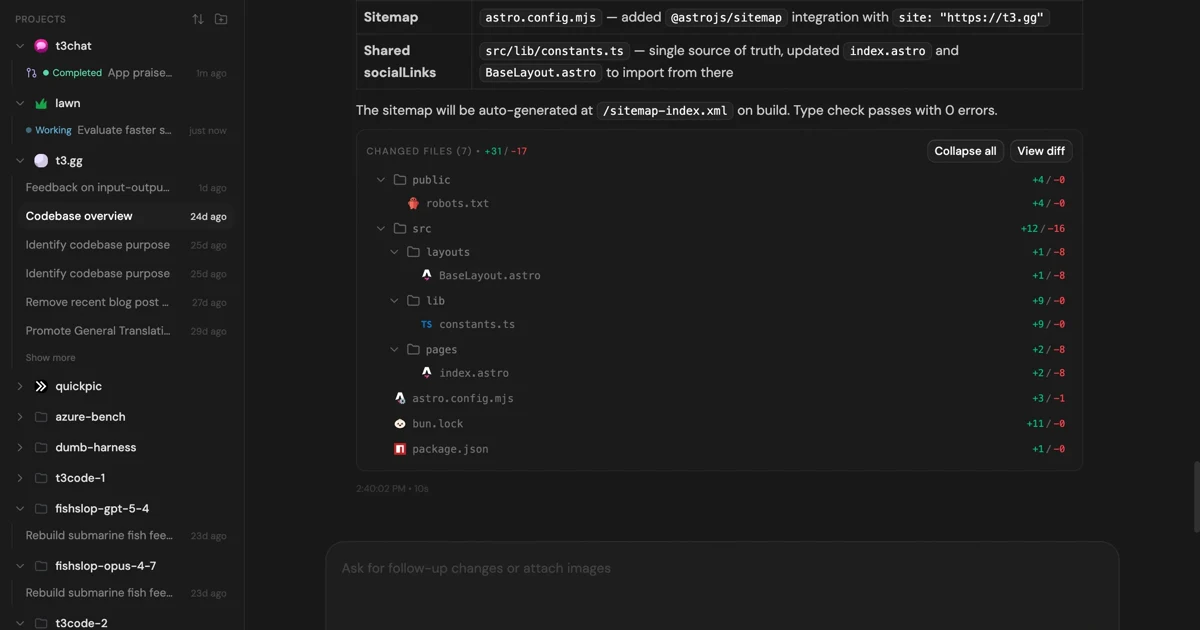
MIT-licensed control plane for running Claude Code, Codex, Cursor, Grok, and OpenCode threads from desktop, web, iOS, and Android clients.
Alternative Tools to Consider

Open-source terminal coding agent with git-native edits, repo mapping, and broad model support

Open-source coding agent for VS Code and the terminal with browser automation, MCP extensibility, and human-in-the-loop approvals.

Open-source local AI agent from the Agentic AI Foundation with CLI, desktop, and API workflows plus MCP extensibility.

MIT-licensed coding agent with terminal, desktop, web, and IDE clients, plus reusable Agent Skills and provider-agnostic model support.
Do one more comparison before you commit to Continue
Strong picks usually survive one more internal check. Read deeper, compare a neighbor, then leave for the vendor page if the fit still holds.